1
Chapter 6
Historical Data Logging and Extraction
How Do You Extract and View Data
from Historical Log Files?
There are two methods for viewing historical data that has been logged to
disk. One method is to use the Historical Data VIs and the other is to use
the Historical Trend Viewer (HTV).
Historical Data VIs
There are several VIs you can use in your HMI to manipulate data logged
in Citadel files. These VIs access disk files and do not require the
BridgeVIEW Engine to be running. You can use these VIs to browse files,
extract the information in a format that can be displayed in a Historical
Trend indicator, or export the data to a spreadsheet file format. There are
several examples in the Examples\HMI Examples\Historical Data
folder to illustrate this. The main VIs for getting historical data and
manipulating it are listed below. For complete information about these or
any other VIs, refer to Appendix A, HMI Function Reference.
•
Decimate Historical Trend
•
Decimate Historical Trends
•
Get Historical Tag List
•
Get Historical Trend Info
•
Historical Trend Statistics
•
Historical Trends to Spreadsheet
•
Historical Trends to Spreadsheet File
•
Read Historical Trend
•
Read Historical Trends
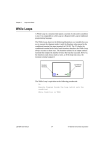
The following illustration shows a VI for viewing historical data files
anywhere in the system.
BridgeVIEW User Manual
6-4
© National Instruments Corporation