1
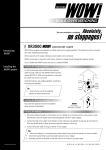
XR3000
Set Up Guide 4.
Setting up for weighing and data entry, using EID
STEP 4:
Optimise the system for the species of animal you
are weighing.
Press
,
.
Set Damp System to Superdamp III (Cattle) or
Superdamp III (Sheep), as required.
STEP 5:
Set up the EID device.
Ensure the EID reader is plugged into CON 2.
Press
,
,
.
Set up the screen as shown:
STEP 6:
The main Weighing screen should be displayed
as shown:
You are now ready to weigh.
Need more help?
For further information regarding your stock management system
contact Tru-Test on 1800 641 324 (AU) or 0800 878 837 (NZ)
02 0510
Page 2 of 2