1
iVu Plus TG Image Sensor
Contents
...................................................................................................5
1 Overview of the Sensor
1.1 Typical iVu Applications
..............................................................................................................5
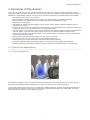
1.1.1 Label Inspection
.............................................................................................................. 5
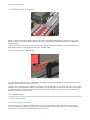
1.1.2 Blister Pack Inspection
.................................................................................................... 6
1.1.3 Vial Stopper Inspection
................................................................................................... 6
1.2 Installation
...............................................................................................................................6
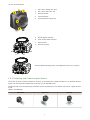
1.2.1 Components
................................................................................................................... 6
1.2.2 Installing and Connecting the Sensor
................................................................................ 8
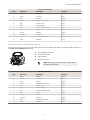
1.2.3 Cable Connections
......................................................................................................... 10
1.2.4 iVu Trigger, Remote Teach, and I/O Waveforms
................................................................12
1.3 Major Features
.......................................................................................................................13
1.3.1 Demo Mode
.................................................................................................................. 13
1.3.2 Sensor Types
................................................................................................................ 14
1.3.3 Multiple Sensors
........................................................................................................... 14
1.3.4 Multiple Inspections
...................................................................................................... 15
1.3.5 iVu Plus Communication Summary of Ethernet and Serial
...................................................16
1.3.6 Trigger Modes
.............................................................................................................. 16
2 Home Screen
................................................................................................................ 18
2.1 Display Mode
......................................................................................................................... 18
2.1.1 Image with Annotations
.................................................................................................18
2.1.2 Image without Annotations
............................................................................................ 18
2.1.3 Inspection Statistics
.......................................................................................................19
3 Main Menu Reference
....................................................................................................21
3.1 Main Menu
..............................................................................................................................21
3.2 Inspection Menu
......................................................................................................................23
3.2.1 Sensors Menu
.............................................................................................................. 23
3.2.2 Motion Menu
................................................................................................................. 27
3.2.3 Properties Menu
........................................................................................................... 28
3.2.4 Stored Inspections
.........................................................................................................29
3.3 Imager Menu
.......................................................................................................................... 30
3.3.1 Auto Exposure
...............................................................................................................30
3.3.2 Exposure
...................................................................................................................... 31
3.3.3 Gain
............................................................................................................................ 31
3.3.4 Trigger
......................................................................................................................... 31
3.3.5 Focus
........................................................................................................................... 32
3.3.6 Strobe
..........................................................................................................................32
3.3.7 FOV (Field of View)
........................................................................................................ 33
3.4 System Menu
..........................................................................................................................35
3.4.1 Mode
........................................................................................................................... 35
3.4.2 System Configuration
..................................................................................................... 35
3.4.3 System Information
....................................................................................................... 36
3.4.4 Lock device
..................................................................................................................36
3.4.5 Communications
............................................................................................................37
3.4.6 Discrete I/O
.................................................................................................................. 46
3.4.7 Display Settings
............................................................................................................ 49
3.4.8 Reboot Sensor
...............................................................................................................50
3.4.9 Firmware Update
........................................................................................................... 50
3.5 Logs Menu
..............................................................................................................................50
3.5.1 Inspection Logs
............................................................................................................. 50
3.5.2 System Logs
................................................................................................................. 52
3.5.3 Communication Logs
...................................................................................................... 52
4 Setting up an Inspection
4.1 Acquiring a Good Image
5 Configuring Sensors
5.1
5.2
5.3
5.4
...............................................................................................54
........................................................................................................... 54
.....................................................................................................57
Sensor Configuration Shortcut Menu
......................................................................................... 57
Configuring an Area Sensor
...................................................................................................... 59
Configuring a Blemish Sensor
....................................................................................................62
Configuring a Match Sensor
...................................................................................................... 65
5.4.1 Remote Teach
............................................................................................................... 68
5.5 Configuring a Sort Application
................................................................................................... 69
5.6 Configuring Motion
................................................................................................................. 70
5.6.1 Number of Edges
........................................................................................................... 71
5.6.2 Sensitivity
.................................................................................................................... 71
5.6.3 Rotation
....................................................................................................................... 71