1
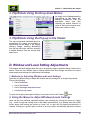
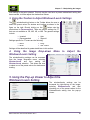
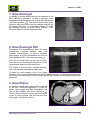
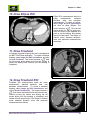
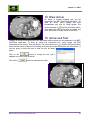
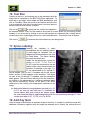
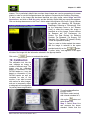
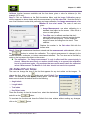
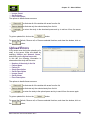
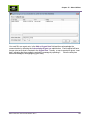
Chapter 16 – General Options Images, and under Images, click on Locate to turn the feature on to be used. Show Status Icons – This is reserved as a future feature, and is not currently activated. Show Scout Lines – Determines if the reference line is applied to the Scout or Topogram image when the user scrolls through the Sagittal or Axial views. For this to work, the Show Scout must be check marked here, Scout Lines must also be checked under Images, and under Images, click on Link Series, and Link Auto All to turn on the feature. Show Zoom Slider – When selected, the slider bar for on screen smooth zoom will be enabled within the selected image indow. If there is no in any of the boxes, any item can be displayed from under the right mouse click, via the Show option. Below the General box is the Markups box. This box determines the default size of the annotations. From this area, select the Line width, Selected line width (which is the active annotation), the Outline width (of the annotation) and the Arrow size. Select the Make bigger arrow for bigger line box if you want the size of the arrow head to vary with the length of the line. The Study management box is on the upper right hand quadrant of the screen. It determines the additional tools that can be used with this application. These are normally used with another BRIT application. Allow placing study Hold/Unhold - When selected, activates the ability for users logged into Roentgen Works Flow to put a study on hold and release it from a hold. Studies highlighted in yellow indicate that they are on hold. Allow Urgent Finding Management - When activated, it allows a user logged into Roentgen Works to enter and respond to Urgent Findings. Users logged in as radiologists can enter and acknowledge urgent findings. Other users can view them and acknowledge them, but can‟t enter or modify them. Initial diagnosis (Discordance) mgmt - When activated, it allows a user logged into Roentgen Works to initiate and communicate the discordance workflow. Users logged in as physicians can enter their initial diagnosis. Radiologists can respond and the original physician can review and acknowledge. BRIT PACSView User Manual UM-BPV-001.3 124