1
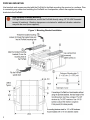
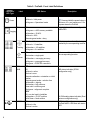
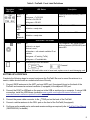
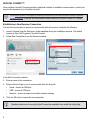
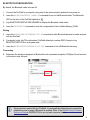
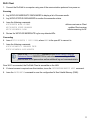
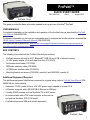
BLUETOOTH CONFIGURATION By default, the Bluetooth radio is turned off. 1. Connect the ProPak6 to a computer using one of the communication ports and turn power on. 2. Issue the BLUETOOTHCONFIG POWER ON command to turn on the Bluetooth radio. The Bluetooth LED on the front of the ProPak6 lights blue . 3. Log BLUETOOTHSTATUS ONCHANGED to display the Bluetooth radio status. 4. Issue the SAVECONFIG command to save the configuration to Non-Volatile Memory (NVM). Pairing 5. Issue the BLUETOOTHDISCOVERABILITY ON command to allow Bluetooth devices to locate and pair with the ProPak6. 6. If prompted, enter the PIN confirmation (ProPak6 default pin number 0000). Accept or log BLUETOOTHSTATUS to verify pass code. 7. Issue the BLUETOOTHDISCOVERABILITY OFF command to turn off Bluetooth discovery. Connecting 8. Determine the serial port assigned to Bluetooth for the connected computer (COM port X) and connect to the device over this port. Once a device is paired with the ProPak6, it is automatically detected and a connection established once in range if Bluetooth is enabled. Refer to the OEM6 Family Firmware Reference Manual-OM20000129 for any log and command details. 9