1
[DS40/DS80
Printer Driver]
Instruction Manual for Windows 2000,XP
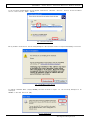
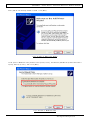
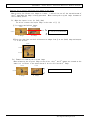
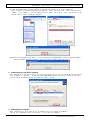
If the following window appears when clicked [OK] in Figure 1.6.
Specify the location of the installation disk using the [Browse] button, and click [OK].
D:\DS_Driver\DS40\English\XP
Fig 1.7 Files Needed
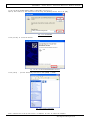
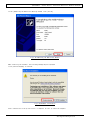
Click [Finish] to finish the wizard.
Fig 1.8 Quit from Found New Hardware Wizard
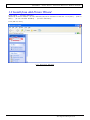
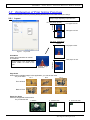
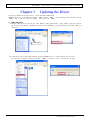
Click [start] –
[Printer and Faxes] and confirm that [DS40] is shown.
Fig 1.9 Printers and Faxes
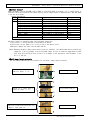
After installation of the printer-driver is complete, be sure to reboot the computer.
4
Dai Nippon Printing Co.,Ltd.