1
6.3 Connecting to a HART Device
Before any operation may be performed with a HART device, it must
be located on the loop. This is done by polling all of the possible
device addresses and selecting a device from those addresses that
respond.
If a HART protocol revision 5 or earlier device is found on the loop,
polling stops at poll address 15, otherwise it continues to poll
address 63. Polling stops after a total of 10 devices are found on the
loop.
If multiple devices are found on the loop, a tag list is displayed for
selecting the device of interest.
If only one device is found on the loop, it becomes the device of
interest by default.
Once a device of interest is determined all relevant data is read from
the device and the operations described in sections 6.5 through 6.10
become available.
6.3.1 Polling
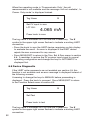
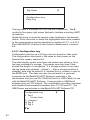
The polling starts immediately and the display changes to the
following where the string of dots is extended once per second to
show the operation is progressing.
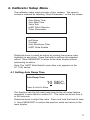
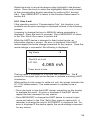
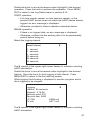
Polling Loop
...........
Found 2 devices
Press knob to skip
remainder
The number of devices found on the loop so far during polling is
displayed.
The knob may be pressed to stop polling early if it is known that all of
the devices on the loop have been found. Press MENU/EXIT to stop
polling, disconnect from HART mode, and return to the main display.
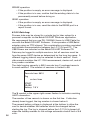
An error is displayed if no devices are found.
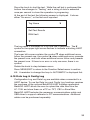
If multiple devices are found, a list of tags is displayed for selecting
the device of interest.
If only one device is found the tag selection step is skipped.
21