1
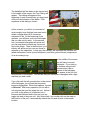
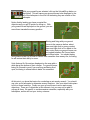
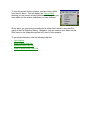
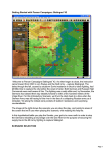
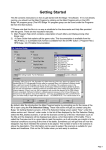
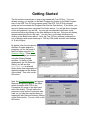
With your ground forces selected, click on the Unload/Drop button on
the toolbar. This will cause your ground forces to be displayed to the
left of the helicopter in the Unit List indicating they are outside of the
helicopter.
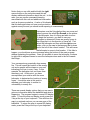
Notice that by landing you have occupied the
objective and you get 20 points for doing so. With
your ground forces deployed on the ground, you can
move them towards the enemy position.
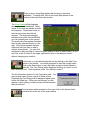
Moving and firing with your ground
forces is the same as before: select
them and right click to move or select
them and right click in Fire Mode to fire.
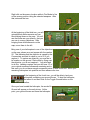
Also notice that your ground forces can
be toggled between On Ground state
and normal state. You should deploy
your ground forces On Ground to reduce their casualties from enemy fire, but doing
so will reduce their ability to move.
Units that are On Ground are displayed on the map with a
white bar at the bottom of their counter. For ground forces,
being On Ground is good if you are firing and being fired
upon, but being in normal state is better for movement.
At this point, you know the basics for conducting an air cavalry assault. You should
use your scout helicopter to determine enemy locations. Use your attack helicopters
to fire on those locations. Finally use your ground forces to move and occupy
objectives. There are 3 objectives in this scenario, but you may not be able to
occupy all three. Be careful to avoid excessive casualties, especially with your
helicopters, as this will hurt your victory outcome.