1
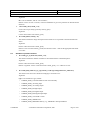
Linux driver development User’s Manual Edwin 3.2 Version: <2.4> Date: 8/3/2004 Pcl724.o PCL-724, PCL-722, PCL-731 Pcl725.o PCL-725 Pcl726.o PCL-726, PCL-727, PCL-728 Pcl812.o PCL-812 Pcl818.o PCL-818 Pcm3718.o PCM-3718 Pcm3730.o PCM-3730 Adding driver to original comedi Ø If a comedi package downloaded from the web site was already installed, a newly written device driver could be added into the comedi environment. Ø Put your driver source code into directory comedi-0.7.60/comedi/drivers/. Ø To add a driver to comedi, first you should ‘make distclean’ to remove original comedi settings. Ø Then edit ‘comedi-0.7.60/comedi/Config.in’ and append a new line, for example: dep_tristate 'PCI-1730' CONFIG_COMEDI_PCI1730 $CONFIG_COMEDI which describes the module dependency for comedi. Ø Next you should edit ‘comedi-0.7.60/comedi/drivers/Makefile’ to add a new make option for the driver. For example: obj-$(CONFIG_COMEDI_PCI1730) += pci1730.o Remember that the variable here must be consistent to the line in Config.in file. 3.3 Ø Run ‘make’ to reconfigure comedi-0.7.60, select the new driver. Ø Run ‘make’ to compile. Ø Then ‘make install’ to install the module into Linux. Running Comedi: To use comedi, the driver module and the core Comedi modules must be loaded into the kernel. This is done by a command similar to /sbin/modprobe <<driver>> If your module dependencies are set up correctly, this will load both comedi.o and your driver. If you get unresolved symbols, check the FAQ or the mailing list archives. Also look at the man pages for modprobe and insmod. To unload the module, run /sbin/rmmod <<driver>> In order to configure a driver module to use a particular device file (/dev/comediN) and a particular device, you need to use the command /usr/sbin/comedi_config, which is part of the comedilib distribution. Comedi_config is invoked using /usr/sbin/comedi_config /dev/comedi0 <device name> <option list> Confidential Advantech Automation Corporation, 2001 Page 13 of 41