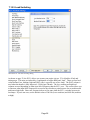
1
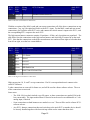
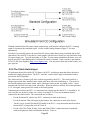
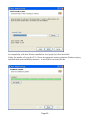
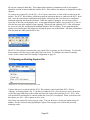
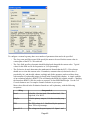
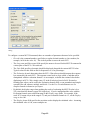
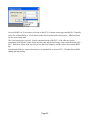
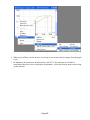
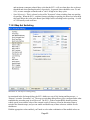
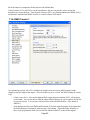
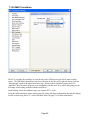
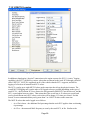
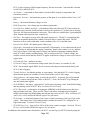
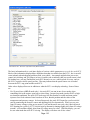
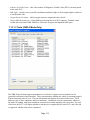
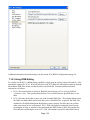
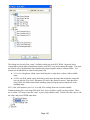
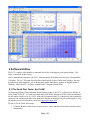
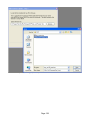
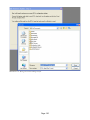
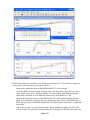
Illustration 37 - The custom MUT-II command editing
dialog
To configure a custom MUT-II command, there are a number of parameters that need to be specified.
•
ID code is the command number, specified as a regular decimal number or a hex number (for
example, 0x10 for the value 16). This is the byte that is sent to the stock ECU.
•
The Long name and Short name fields specify the name to be used for this MUT-II command in
various parts of the ECU+ Win software.
•
The Units field specifies what units should be displayed alongside the custom MUT-II value.
Typical values for this field are Hz for frequencies or % for percentages.
•
The Evaluation formula determines how the ECU+ Win software should interpret the response
byte returned by the stock ECU. The response comes back as a byte called x, and that can be
manipulated with the evaluation formula. As an example, to double the returned value before
displaying it in ECU+ Win, simply enter x*2 in the Evaluation formula field. Decimal or
floating-point values can be used in the Evaluation formula field, as can parenthesis and simple
operators like add, subtract, multiply and divide. Use the Test Formula button to see if a
complex formula evaluates as you expect.
•
By default, the display range when graphing the result of evaluating the MUT-II value is 0 to
255 (since that's the numeric range of a single byte). If you've manipulated the value with the
Evaluation formula, enter a different range in the Display range fields. For example, if the
stock ECU returns a byte in the range 0-32, and your evaluation formula is x*3, set the Display
range to 0 to 100.
•
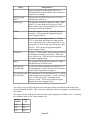
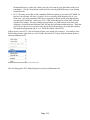
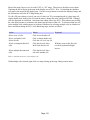
The Display format field specifies the precision used to display the calculated value. Assuming
the calculated value is 100, some examples are:
Page 48