1
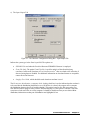
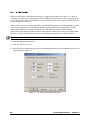
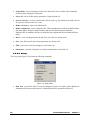
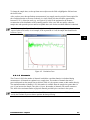
The Do not save intensity check box is used to indicate that the raw data points should not be saved in the
data file. The intensity record is useful if you want to see if dust particles or large aggregates were present
in the scattering volume, and if they were, whether the intensity fluctuations management was adequate.
However, if there are no intensity fluctuations in the data, there is little reason to store intensity record.
The average intensity is always stored.
The Allow duplicates of the same measurements check box is used to indicate duplicate data files can be
loaded. Duplicate files are those that contain the same measurements, but have been saved under different
names. If you want to get eliminate duplicate files that are already loaded, use the Remove duplicates
command in the Data menu.
The Test mode check box indicates if the system should operate in Test Mode, which generates test data
without the need for a sample. A series of runs in Test Mode is useful to become familiar with the general
operation of the PrecisionDeconvolve32 software and will show you what you can expect in a live
measurement situation. If a check mark is present in this field, it will not be possible to collect actual
data.
b) The Hardware settings tab
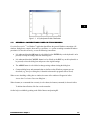
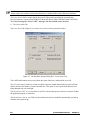
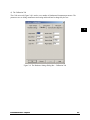
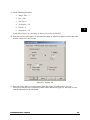
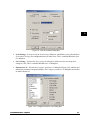
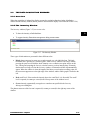
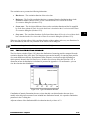
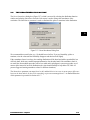
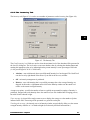
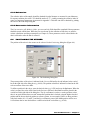
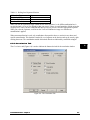
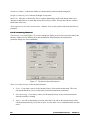
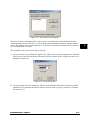
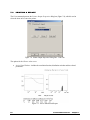
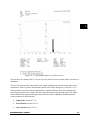
The Hardware settings tab (Figure 2-2) is used to set a variety of instrument and communication
parameters.
Figure 2-2: The Hardware Settings Dialog Box - Hardware Settings Tab
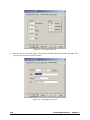
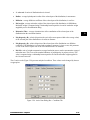
Set the Port setting to match the communication port to which the correlator board is connected. The
Baud rate should be set to 38400; the Wavelength should be set to the laser wavelength and the Angle
should be set to 90 and should not be edited.
32 –
PrecisionDeconvolve
PrecisionDeconvolve32
– Chapter
Chapter 2
2
2
2 -- 3
3
2