1
PLAYBACK
IMPORTANT!
To re-record audio
• Keep the microphone
on the front of the
camera pointed at the
subject.
• Take care that you do
not block the
microphone with your
fingers.
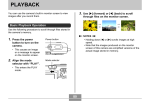
1. In the PLAY mode, use [] and [] to scroll
through snapshots until the one whose audio
you want to re-record is displayed.
2. Select the “PLAY” tab, select “Dubbing”, and
then press [].
Microphone
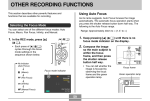
3. Use [] and [] to select “Delete”, and then
press [SET].
• If you merely want to delete the audio with rerecording, press [MENU] here to complete the
procedure.
• Good recording results are not possible when the
camera is too far from the subject.
• Operating camera buttons during recording can
cause button noise to be included in the audio.
• The
(Audio) icon appears on the monitor screen
after audio recording is complete.
• You will not be able to record audio when remaining
memory capacity is low.
• The following types of audio recording are not
supported.
— Adding audio to a protected snapshot (page 106)
• Audio that is re-recorded or deleted cannot be
recovered. Make sure you no longer need audio
before re-recording or deleting it.
4. Press the shutter release button to start audio
recording.
5. Recording stops after about 30 seconds or
when you press the shutter release button.
• This deletes the previous recording and replaces it
with a new one.
101