1
17
FINAL CUT PRO 2: User Manual
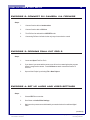
EXERCISE 15: CHANGING THE SPEED AND PLAY
DIRECTION OF A CLIP
Steps:
1.
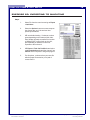
Select desired clip with the Selection
(arrow) tool from the Timeline
2.
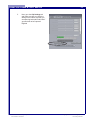
Choose from the Menu: Modify > Speed
3.
Reverse clip by checking the Reverse
box
4.
Change speed by entering new rate or
desired duration and clicking OK (a
negative number will also cause the clip
to play in reverse)
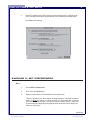
EXERCISE 16: CREATING TEXT TITLES
Steps:
1.
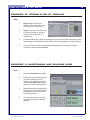
Select the Title button from the bottom
right hand corner of the Viewer and select
Text and then type of text that you want,
Text for stationary text, Scrolling Text,
etc.
2.
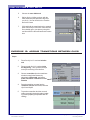
Then, select the Controls tab in the
Viewer window and replace sample text
with desired text.
3.
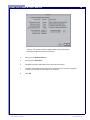
Click and drag the whole title screen
from the Viewer into the Browser
4.
Then, place the title into the Timeline
5.
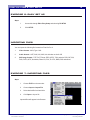
Preview by rendering
File name: FinalCutPro_User.pmd
Last modified: 06/04/02
Copyright Arizona Board of Regents, 2002
University of Arizona