1
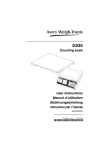
G236
Avery Weigh-Tronix Technical Specification
Local EU Approved Displayed
Resolution Settings
G236 is type approved up to
10,000d in single range, or use
two-stage AVR settings at 6,000
divisions.
Scale Capacity
5 kg
12 kg
25 kg
50 kg
AVR Stage 1
0 - 3 kg x 0.0005 kg
0 - 3 kg x 0.0005 kg
0 - 6 kg x 0.001 kg
0 - 12 kg x 0.002 kg
AVR Stage 2
3 - 5 kg x 0.001 kg
3 - 12 kg x 0.002 kg
6 - 25 kg x 0.005 kg
12 - 50 kg x 0.01 kg
Minimum Accuracy Setting
Optional Analogue
Remote Platform
Off
95%
98%
99%
Minimum Sample Required (% of Scale Capacity)
EU Approved as indicator up to
6,000d.
Remote platform capacity
configurations available for 60 kg,
150 kg, 300 kg, 600 kg, 1,200 kg/
1,500 kg, 3,000 kg, 6,000 kg, and
12,000 kg.
Selectable division settings of:
single range up to 60,000d;
two-stage AVR; or three-stage
AVR setting.
Count Accuracy
Internal Resolution
Local Platform - up to 25,000,000
counts.
Remote Platform - up to
4,175,000 counts.
Counting Resolution
1 part in 2,000,000.
Displayed & Piece Weight Entry
Displayed, or enter via key pad up
to six decimal places, up to
0.000002g.
Maximum Displayed Count
Up to 9,999,999 pieces.
Minimum Sample Weight
Established via accuracy range
setting.
2
0.002 %
Scale
Capacity
5 kg
12 kg
25 kg
50 kg
0.004%
0.01 %
0.02 %
Minimum Sample Weight Required (grams)
0.1
0.24
0.5
1
0.2
0.48
1
2
Auto Minimum Sample Weight
Standard, if the minimum sample
weight is not achieved to reach
the desired accuracy, the scale
will automatically prompt the
operator to add more sample
weight without starting the count
process again.
Counting Features
The counting features of the
G236 allow the flexibility to
configure the scale to best match
the individual operator’s needs.
Grams Piece Weight Entry
Allows entry of a piece weight in
grams, when scale is configured
for kg.
Sample & Counting Methods
A choice of bulk, dribble and two
reverse counting modes.
0.5
1.2
2.5
5
1
2.4
5
10
Sample Size
Configure the displayed default
sample size to 1, 2, 5, 10, 25, 50,
or 100. Use the keyboard to
manually enter a sample size.
Piece Weight Update
Automatically updates displayed
piece weight until the gross
weight has reached twice the
original sample weight.
Piece Weight Rounding
Helps to ensure more accurate,
repeatable piece weights when
rounded by 0.5%, 1% , or 2%.
Auto Platform-Switching
Perform sampling on the local
platform, the scale will
automatically switch to the remote
platform for counting.