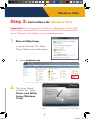
1
Untitled-1 5
Windows Vista
6.
7.
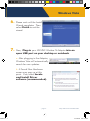
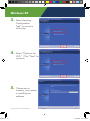
Please wait until the Install
Wizard completes. Then
select Finish to exit the
wizard.
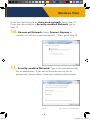
Now, Plug-in your HWUN3 Wireless-N Adapter into an
open USB port on your desktop or notebook.
a. After plugging in the Adapter,
Windows Vista will automatically
search for new updates.
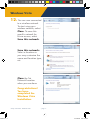
b. A Found New Hardware
screen may pop up at this
point. If so, select Locate
and Install Driver
software (recommended).
- page 4 -
n
Setup Instructions: Windows Vista
9/15/2008 4:46:57 PM