1
Page 2
IMPORTANT N(YrICE FOR ISAM USERS
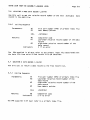
.ISMFIX DSKO:MAIL
ISMFIX
(both
accepts
the
time,
wildcarded
file specifications.
.IDA and .IDX portions of the ISAM
files)
If all of your ISAN
are on—line at the
files
same
you can rebuild all ISAM files on the system by logging into [1,2] and
entering:
.ISMFIX ALL:
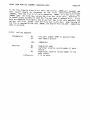
ISMFIX lists all rediscovered indices as it re—positions them; ISMFIX also
lists the relative record numbers of the indices.
2.2
ISMFIX Errors
If ISMEIX encounters a primary index file, but that file's data file is not
on—line and
ready to access,
an error occurs (you see a file not found
error message) and ISMFIX goes on to the next ISAM file.
As ISMFIX re—positions the indices, ISAM errors can occur (e.g., index file
full or duplicate key).
If an ISAM error occurs, you see a standard ISAM
error message. Your best course in such a case is to rebuild the ISN4 file
manually.
L.
3.0
NFW ACCESS MODES
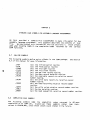
access modes are Counted Update Mode and Exclusive Open Mode.
Counted Update Mode is now the normal access mode for assembly language or
BASIC programs.
Exclusive Open Mode Is the normal access mode for the
ISMEtW and ISMBLD programs, and is the only mode for the ISMCCI4 program.
The
two
3.1 Counted Update Mode
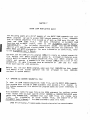
Counted Update Mode allows ISAM
to avoid unnecessary processing.
Every time
1MM updates a file in any way,
increments a counter in the Rock portion
of the index file. At the time of file access, ISAM checks this counter to
see if the file has been updated since the last access.
If the file has not
been updated, ISAM can skip further access initialization and take advantage
of prior knowledge about the file. These actions are completely transparent
to the user and the speed gains (3 to 70 times faster access times)
are
it
free.
The Counted Update Mode does NP eliminate file interlock requirements from
your programs.
If anyone might possibly be updating the file, your program
must continue to use file interlock programs such as XLOCK or FLAXK to
prevent simultaneous updates or accesses. The preferred method for locking
files
is to use the FLOCK non—exclusive "open" locking (action 0, mode 0 or
(Changed 1 October
1979)