1
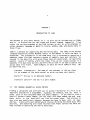
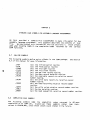
USING ISAM FROM WITHIN BASIC
7.2
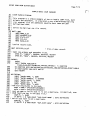
Page 7—3
THE ISAM STATEMENT
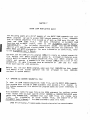
purpose of the ISAM statement is to allow you to use the ISAM program
from within your BASIC program to: 1. find a record in the data file by
symbolic key (returning the relative record number in the variabLe specified
by the indexed sequential fiLe OPEN statement); 2. find the next data record
(by the order in which the symbolic keys occur in the index fiLe); 3. add a
symboLic key to an index file; 4. deLete a symbolic key from an index file;
The
5.
Locate
next
free
data
record in data fiLe (returning relative record
number in the variable specified by the appropriate OPEN statement); and, 6.
delete a record from a data file, and return that record to the free List.
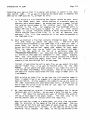
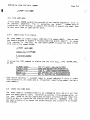
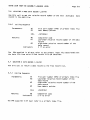
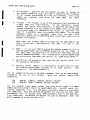
The ISAM statement foLLows this form:
ISAM #file—channel, code, symbolic—key
1.
2.
#fite—channel — Specifies the fiLe channeL assigned by an OPEN
statement to either the data file/primary index fiLe or the
secondary index file (depending on which set of symboLic keys you
want to access).
Code
above.
— A numeric value that selects one of the functions mentioned
May be any LegaL numeric expression which is resolved at
runtime.
3.
Symbolic—key — Specifies the symbolic key to be used in Locating a
data record. You must aLways specify a symboLic key even if a
function does not require the use of one. (This simpLifies syntax
checking.) If you wish, you may use a dummy string variable in such
cases.
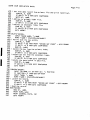
7.2.1
ISAM Statement Codes
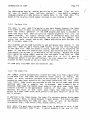
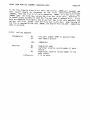
The ISAM statement can perform six different functions. You may select one
of these functions by supplying the appropriate code number (see below) to
the ISAM statement.
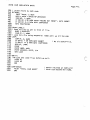
An error wiLl result if you do not suppLy a valid
code
number.
Some of
the functions below require a relative record number as input;
others return a relative record number to be used when your READ and WRITE
statements access the data file. In either case, the ISAM functions pass
the relative record number in the variable specified in the OPEN statement
for the data file/primary index fiLe. READ and WRITE statements aLso use
that variable for locating the data file
record that they are going to
statement does not directly access the
data file. Instead, it gives you the information you need to access the
data
file yourself using the relative record number returned by ISAM.
access.
Remember
that
the
ISAM