1
TG40 User Manual
4 Operation
The TG40 System operation is managed through the TG40 Control Centre
Software. The Control Centre Software provides continuous status updates
from the TG40 Microplate and enables programming of temperature
control operations.
4.1 Setting Up Crystallization Experiments with the
TG40
Before setting up your first experiment with the TG40, please read the
Overview below to understand the process requirements.
Overview of Crystallization Experiment with TG40
System
For best results, follow these steps to set up the experiment.
1.
2.
3.
4.
5.
6.
7.
8.
Ensure that the TG40 Docking Station is connected to power and
the PC.
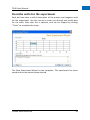
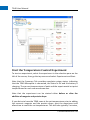
Define an experiment using the TG40 Control Centre Software.
Place an Insert into each of the five (5) rows of the TG40
Microplate.
Using a pipette or automated liquid dispensing system, load
reagents and proteins into the wells.
Seal the inserts to prevent evaporation using sealing tape or
sealing sheets.
Return the TG40 Microplate to the Docking Station.
Start the experiment.
Remove TG40 from Docking Station at regular intervals to observe
crystallization. The battery will maintain the set temperatures for
at least 30 minutes during observations. Return to Docking Station
after imaging to maintain charge on battery.
4.2 Temperature Control Operations
Reagents and protein drops can be added to the TG40 either before or
after starting the experiment. In either case it is advantageous to set up
the experiment before proceeding to the liquid handling.
14
Centeo Biosciences Ltd