1
1.7 Interface Requirements
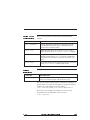
Terminal types:
You can select two types of interface terminal for controlling the
unit.
Display-only
A display-only “dumb” terminal allows you to type programs and
commands, but will not save programs externally (the program can
be saved in the drive memory).
Note: The T-10C terminal, available from Pacific Scientific, is a
display-only terminal that allows you to enter values and run
downloaded programs.
Computer
A computer terminal allows you to save and work on programs
externally from the controller. In addition, you can use utilities
such as the PacCom Toolkit for editing programs, downloading
programs, and terminal emulation. An example of this type of
terminal is an IBM AT PC.
Terminal
The requirements for the terminal are:
requirements
• RS-232, RS-485, or RS-422 serial communication on board
• 9600 baud transmission rate
1.7.1 Setting Up Communications
Introduction
PacCom
installation
This section covers downloading programs and terminal emulation
using the communications utilities in the PacCom Toolkit.
1. With power disconnected from the unit, verify that the power
and earth ground connections to J1 are correctly installed.
procedure
2. Disconnect the 9-pin connector from J7 to ensure that the
enable input is disconnected.
3. Set up the PC for terminal emulation:
a. Turn On the computer.
b. Load MS-DOS boot up.
1 - 10
StepperBASIC Reference Manual
Rev F