1
12
VLAN Management
Configuring VLAN Interface Settings
Configuring VLAN Interface Settings
The Interface Settings page displays and enables configuration of VLAN-related
parameters for all interfaces
To configure the VLAN settings:
STEP 1 Click VLAN Management > Interface Settings.
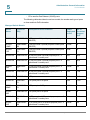
STEP 2 Select an interface type (Port or LAG), and click Go. Ports or LAGs and their VLAN
parameters are displayed.
STEP 3 To configure a Port or LAG, select it and click Edit.
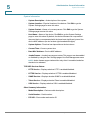
STEP 4 Enter the values for the following fields:
•
Interface—Select a Port/LAG.
•
Interface VLAN Mode—Select the interface mode for the VLAN. The
options are:
-
General—The interface can support all functions as defined in the
IEEE 802.1q specification. The interface can be a tagged or untagged
member of one or more VLANs.
-
Access—The interface is an untagged member of a single VLAN. A port
configured in this mode is known as an access port.
-
Trunk—The interface is an untagged member of one VLAN at most, and
is a tagged member of zero or more VLANs. A port configured in this
mode is known as a trunk port.
-
Customer—Selecting this option places the interface in QinQ mode. This
enables you to use your own VLAN arrangements (PVID) across the
provider network. The device is in Q-in-Q mode when it has one or more
customer ports. See QinQ.
•
Administrative PVID—Enter the Port VLAN ID (PVID) of the VLAN to which
incoming untagged and priority tagged frames are classified. The possible
values are 1 to 4094.
•
Frame Type—Select the type of frame that the interface can receive.
Frames that are not of the configured frame type are discarded at ingress.
These frame types are only available in General mode. Possible values are:
-
Admit All—The interface accepts all types of frames: untagged frames,
tagged frames, and priority tagged frames.
Cisco Small Business 300 Series Managed Switch Administration Guide
190