1
17
Security
Configuring RADIUS
•
Server IP Address/Name—Enter the RADIUS server by IP address or
name.
•
Priority—Enter the priority of the server. The priority determines the order
the device attempts to contact the servers to authenticate a user. The device
starts with the highest priority RADIUS server first. Zero is the highest
priority.
•
Source IP Address—(For devices in Layer 3 system mode) Select to use
either the default source address or select one of the available IP addresses.
Key String—Enter the key string used for authenticating and encrypting
communication between the device and the RADIUS server. This key must
match the key configured on the RADIUS server. It can be entered in
Encrypted or Plaintext format. If Use Default is selected, the device
attempts to authenticate to the RADIUS server by using the default Key
String.
•
Timeout for Reply—Enter the number of seconds the device waits for an
answer from the RADIUS server before retrying the query, or switching to the
next server if the maximum number of retries were made. If Use Default is
selected, the device uses the default timeout value.
•
Authentication Port—Enter the UDP port number of the RADIUS server port
for authentication requests.
•
Accounting Port—Enter the UDP port number of the RADIUS server port for
accounting requests.
•
Retries—Enter the number of requests that are sent to the RADIUS server
before a failure is considered to have occurred. If Use Default is selected, the
device uses the default value for the number of retries.
•
Dead Time—Enter the number of minutes that must pass before a nonresponsive RADIUS server is bypassed for service requests. If Use Default
is selected, the device uses the default value for the dead time. If you enter
0 minutes, there is no dead time.
•
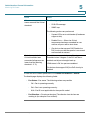
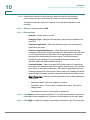
Usage Type—Enter the RADIUS server authentication type. The options are:
-
Login—RADIUS server is used for authenticating users that ask to
administer the device.
-
802.1X—RADIUS server is used for 802.1x authentication.
-
All—RADIUS server is used for authenticating user that ask to administer
the device and for 802.1X authentication.
Cisco Small Business 300 Series Managed Switch Administration Guide
314