1
3010E/3020E/3040E
G.SHDSL.bis EFM Bridge Modem User’s Manual
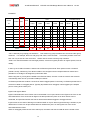
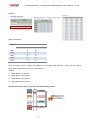
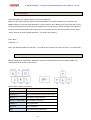
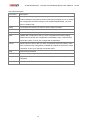
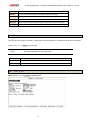
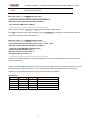
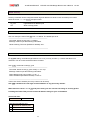
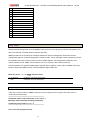
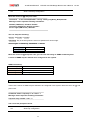
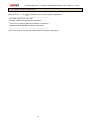
Command Description:
Command
Description
enable
Modify command privilege. When you login via serial console or Telnet, the EFM
modem defaults to a program execution (read-only) privileges to you. To change
the configuration and write changes to nonvolatile RAM (NVRAM), you must
work in enable mode.
setup
To configure the product, you have to use the setup command.
status
View the status of product.
show
Show the system and configuration of product.
write
Update flash configuration. After you have completed all necessary setting,
make sure to write the new configuration to NVRAM by “write” command and
reboot the system, or all of your changes will not take effect.
reboot
Reset and boot system. After you have completed all necessary setting, make
sure to write the new configuration to NVRAM and reboot the system by “reboot”
command, or all of your changes will not take effect.
ping
Internet Ping command.
admin
You can setup management features in this command.
utility
Upgrade software and backup and restore configuration are working via “utility”
command.
exit
Quit system
68
Ver:A2