1
Contents
Product description ....................................................................................... 2
Startup
Step 1. Hardware installation ................................................................................ 3
Step 2. MPS 100 communication setup................................................................ 3
Step 3. MPS 100 setup ........................................................................................... 3
MPS 100 communication setup
Method A – Using the MPS100Config utility (Recommended)........................... 4
Method B – Using Windows network parameters ............................................... 6
Method C - Using a DHCP server (if available on the LAN)................................ 7
MPS 100 setup (Basic configuration setup)
Master modbus setup ............................................................................................ 9
Slave modbus setup............................................................................................... 9
Time and date setup............................................................................................. 10
User and administrator passwords change....................................................... 10
MPS 100 setup (Application setup)
Micrologic automatic notification ....................................................................... 12
Inputs automatic notification .............................................................................. 12
Register automatic notification........................................................................... 13
Micrologic data logging contents ....................................................................... 15
PowerMeters data logging contents (PM300, PM500, PM9C) .......................... 16
Output configuration............................................................................................ 16
MPS 100 setup (Advanced setup)
E_mail settings ..................................................................................................... 18
Modem communication setup............................................................................. 19
Automatic notification setup ............................................................................... 20
Data logging setup ............................................................................................... 21
Threshold maintenance registers....................................................................... 22
LAN (Ethernet) communication setup ................................................................ 23
Enable or disable modem port for incoming connections............................... 24
Miscellaneous settings (1 of 2) .......................................................................... 24
Miscellaneous settings (2 of 2) .......................................................................... 25
Shutdown .............................................................................................................. 25
Test automatic notification and datalogs
MPS100 user level access
Environment.......................................................................................................... 28
Monitoring ............................................................................................................. 29
Incoming / Outgoing (Micrologic dashboard).................................................... 29
Incoming / Outgoing (PowerMeters dashboard) ............................................... 31
Micro Power Server I/O ........................................................................................ 33
Setup...................................................................................................................... 33
Maintenance menu ............................................................................................... 36
Appendix
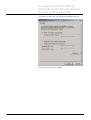
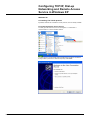
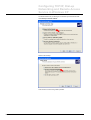
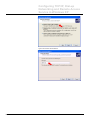
Configuring TCP/IP, Dial-Up Networking and Remote Access
Service
Windows 95........................................................................................................... 37
Windows 98/Me..................................................................................................... 38
Windows NT4.0 ..................................................................................................... 48
Windows 2000....................................................................................................... 58
Windows XP .......................................................................................................... 66
MPS100 User Manual - Rev 1.08ab.doc
Schneider Electric
-1-