1
Advanced setup
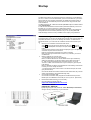
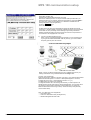
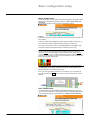
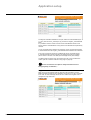
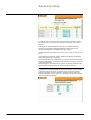
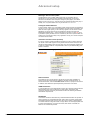
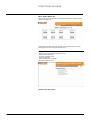
In both cases you have to fill in the fields below.
- Username field (limited to 20 characters, without spaces).
- Password fields (limited to 20 characters, without spaces).
These last two fields will be used by the remote PC when setting up a connection
with the MPS 100, just like an Internet Service Provider.
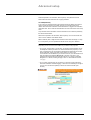
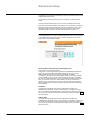
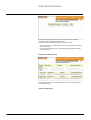
Most modems work using the default Modem serial port setting. However, it may
be necessary to adjust the Baud rate to meet particular modem requirements:
some GSM modems has no autospeed recognition mechanism.
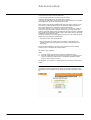
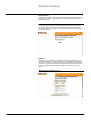
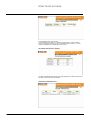
If the modem channel is only used as an "input" (PPP in connection), enable the
modem port using the Enable or disable modem port (input) page and set the
modem to Automatic answer mode, activating the call-back mechanism if available
and required for the application. Modem setup is performed by filling in the Modem
iinitialisation escape sequence field.
This string contains a set of Hayes commands to be sent to the modem (using the
Modem serial port settings) in following cases:
- each time the MPS 100s is powered ON.
- each time the MPS 100 closes a PPP in connection and the Modem port
enabled checkbox has been selected in the Enable or disable modem port
(input) page.
See the modem-installation manual for further information on these settings.
Following is a non exhaustive list of tested modem :
US robotics, Olitec, Wavecom
Notes:
1) Some ISP assign particular phone number for GSM modem calls.
2) Some ISP rejects hiden phone number incoming calls. To unhide the phone
number of a Wavecom GSM modem, fill the Modem initialization escape
sequence with: ATE0S0=2+CLIR=2
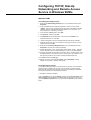
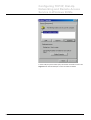
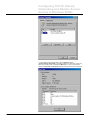
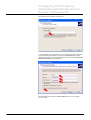
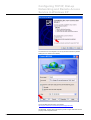
See Appendix for information on configuring the PC to access your MPS 100 via
modem.
Automatic notification setup
E91654
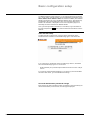
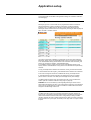
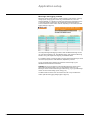
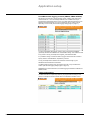
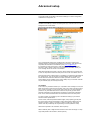
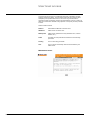
The MPS 100 may be programmed to send an e-mail following Micrologic trip or
alarm detection (see Application setup \ Micrologic automatic notification on page
12).
MPS100 User Manual - Rev 1.08ab.doc
Schneider Electric
- 20 -