1
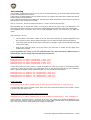
Using Macro Files
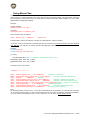
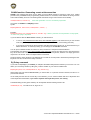
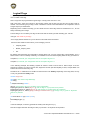
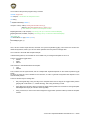
What is a Macro? A Macro can be described as a shortcut to a keystroke combination. This mean that you can
give a name to a specific keystroke in the macro file, and from the main file simply call up that name. There are
two advantages to using macros: they are much easier to read, and are also easier to adapt if you use custom
flight simulator software key mapping.
Example:
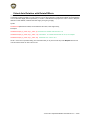
Instead of writing:
MapKey(&Joystick, TG1, SPC);
You write:
MapKey(&Joystick, TG1, Weapon_Fire);
And in the macro file you will find:
define
Weapon_Fire
USB[0x2C]
//Weapon Fire
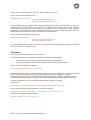
The files used to store macro files are *.ttm files (for Thrustmaster T.A.R.G.E.T Macro).
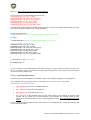
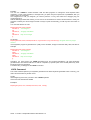
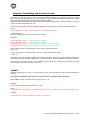
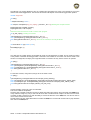
If you want to use a macro file with your main TMC file, you must call it up (it must be stored in the same folder as
your TMC file). You only have to “include” the file at the beginning of the TMC.
Example:
include "target.tmh"
include "FC2_MIG_29C_Macros.ttm"
int main()
{
if(Init(&EventHandle)) return 1; // declare the event handler, return on error
MapAxis(&Joystick, JOYX, DX_X_AXIS);
MapAxis(&Joystick, JOYY, DX_Y_AXIS);
….
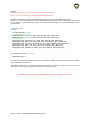
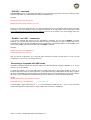
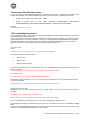
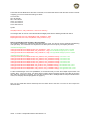
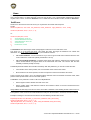
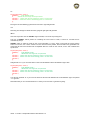
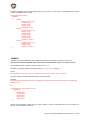
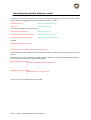
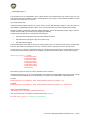
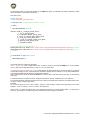
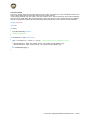
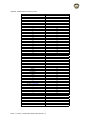
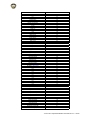
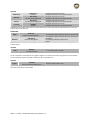
Example of macro file contents:
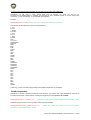
// Autopilot **********************
define
define
define
define
define
define
define
define
define
Autopilot_Attitude_Hold L_ALT+USB[0x1E]
//Autopilot - Attitude Hold
Autopilot_Barometric_Altitude_Hold L_ALT+USB[0x21]
//Autopilot - Barometric Altitude Hold
Autopilot
USB[0x04]
//Autopilot
Autopilot_Altitude_And_Roll_Hold L_ALT+USB[0x1F]
//Autopilot - Altitude And Roll Hold
Autopilot_Barometric_Altitude_Hold_H
USB[0x0B]
//Autopilot - Barometric Altitude Hold 'H'
Autopilot_Transition_To_Level_Flight_Control L_ALT+USB[0x20] //Autopilot - Transition To Level Flight
Autopilot_Disengage
L_ALT+USB[0x26]
//Autopilot Disengage
Autopilot_Radar_Altitude_Hold
L_ALT+USB[0x22]
//Autopilot - Radar Altitude Hold
Autopilot_Route_following L_ALT+USB[0x23]
//Autopilot - 'Route following'
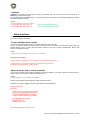
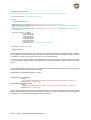
Note:
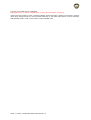
Mr. Raphael Bodego has built a free, T.A.R.G.E.T-compatible Macro file generator. It covers the main simulators
on the market and will make your macro file generation quicker than ever: the software is called Sim2TARGET.
It’s not an official Thrustmaster product, but it is a useful tool. You can find it at www.checksix-fr.com.
T.A.R.G.E.T Script Editor Basics User Manual v1.5 – 19/60










![[User manual (English) - v1.6] 1.7 MB](http://vs1.manualzilla.com/store/data/005855357_1-51a3ddd110ebec5d1eef2b5791ba3868-150x150.png)