1
Advanced features
Before you use the following code, make sure that you have mastered the previous features. Until now, we have
only used the predefined T.A.R.G.E.T functions. We are now going to start using the script's full power and
flexibility. Let’s start with an incredible function: EXEC.
EXEC: Opening Pandora’s box
This is a powerful function which basically simply “executes” the associated function or code.
In fact, this function is made to be used in the default T.A.R.G.E.T function (MapKey, etc.) and open a direct door
to the script code or call up other functions.
There are multiple ways to use EXEC: you can use EXEC to manage functions, or the execute script code for
logical flag or pure code.
Managing functions
EXEC can be used in all the MapKey family, KeyAxis, etc. You can place EXEC in your CHAIN, SEQ or TEMPO,
as it is just an event. It’s very simple to use, because you already know the functions.
For this example, we will use EXEC to change the Warthog Joystick X and Y axis curves when the user presses
the S4 paddle switch.
Syntax:
EXEC(“……”)
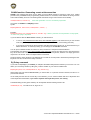
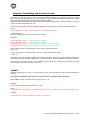
MapKey(&Joystick, S4, EXEC("SetSCurve(&Joystick, JOYX, 0, 0, 0 ,5, 0); SetSCurve(&Joystick, JOYY, 0, 0, 0 ,5, 0);"));
Notice that in the EXEC() we have added “ at the beginning of the function list, and at the end.
This isn’t very easy to read, so we can also separate the functions by jumping to the next line, but we will have to
limit all functions with “:
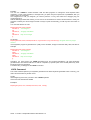
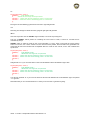
MapKey(&Joystick, S4,
EXEC(
"SetSCurve(&Joystick, JOYX, 0, 0, 0 ,5, 0);"
"SetSCurve(&Joystick, JOYY, 0, 0, 0 ,5, 0);"
));
This way it’s much easier to read… Once executed (Paddle Switch pressed momentarily), the new setting will
stay active.
If you want to return to the original setting, you can simply apply a SEQuence to your S4 button. The first event
generated by an action on the S4 button will EXEC a first batch of functions. A second press will execute another
batch of functions that return to the default settings:
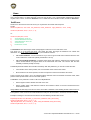
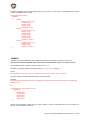
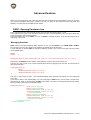
MapKey(&Joystick, S4,
SEQ( //open the sequence
EXEC( //open the first EXEC
"SetSCurve(&Joystick, JOYX, 0, 0, 0 ,5, 0);"
"SetSCurve(&Joystick, JOYY, 0, 0, 0 ,5, 0);"
), //close the first EXEC
EXEC( //open the second EXEC
"SetSCurve(&Joystick, JOYX, 0, 0, 0 ,0, 0);"
"SetSCurve(&Joystick, JOYY, 0, 0, 0 ,0, 0);"
) //close the second EXEC
) //close the Sequence
); //close the MapKey
T.A.R.G.E.T Script Editor Basics User Manual v1.5 – 37/60












![[User manual (English) - v1.6] 1.7 MB](http://vs1.manualzilla.com/store/data/005855357_1-51a3ddd110ebec5d1eef2b5791ba3868-150x150.png)