1
Multiple outputs on a single button
TEMPO Command
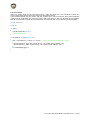
Tempo is a sub-function of MapKey: it is based on real aviation ergonomics. TEMPO gives the pilot the possibility
of having 2 functions on a single button. A short press will generate the first output; a long press will generate the
other output. This is a feature used on modern fighters.
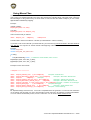
Syntax:
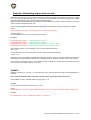
TEMPO(key1, key2, delay) delay is optional (500 milliseconds is a good value).
Example:
MapKey(&Joystick, TG1, TEMPO('x', 'y'));
//short press X, long press Y
MapKey(&Joystick, TG1, TEMPO('x', 'y', 1000)); //if pressed for more than 1 second
Layers
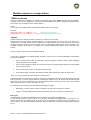
Another solution to multiply the number of functions on a button is to use layers.
Using layers is like using several parallel programs. You select the layer you want to use by an action on a
“master button”. The layer selector can be a single button or several buttons, but you will have to set the nature of
the button. Keep in mind that in order to access a layer, the associated “master button” must be pressed. For a
complete description of the layers, we suggest you to read the dedicated GUI pages in the T.A.R.G.E.T GUI
manual.
HOTAS Cougar users know this as I/O/U/M/D modifiers.
T.A.R.G.E.T is dedicated to Thrustmaster flight controllers. There are a lot of control possibilities in using Master
layer selector switches:
On the HOTAS Cougar TQS, we recommend using the Throttle’s 3-position switch (called “Dogfight”)
and the S3 Switch on the Joystick.
On the HOTAS Warthog Throttle, we recommend using the 3-position Boat Switch and S4 (the Paddle
switch) on the Joystick.
On the T16000M, any button on the base could do the job.
On the MFD Cougar, the GAIN, SYM, BRT and CON rocker switches are perfect for this function.
Note: You can also assign the master switches to different items.
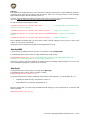
The default behavior of the layers is momentary: the layer is activated only when you press the master button that
calls up the layer. If you use a toggle switch as a master layer selector, the U, M, D layers will work like toggled
layers. But if you use a T-16000m, this only offers momentary buttons; therefore you may have to press several
buttons at the same time to work in the layers you want.
To manage this issue, the layer can be defined as momentary or toggle:
Momentary: you have to press a button constantly to access and use the layer’s contents.
Toggle: you simply briefly press a button to declare that you are now working in a specific layer.
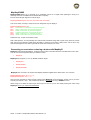
Main layers
The Main layers are called Up, Middle and Down. By default, you program the Middle layer.
On the HOTAS Cougar we used to call up the U, M and D layers with the Dogfight switch. This switch is a 3position toggle switch and perfectly suits our needs. As it is a toggle switch, the button stays in the position you’ve
just moved into; you will declare that the UMD layer works as momentary, as the button always selects the layer
for you.
20/60 - T.A.R.G.E.T Script Editor Basics User Manual v1.5