1
Chart Border ............................................................................................................................................. 53
Gridlines ................................................................................................................................................... 54
Today Bar.................................................................................................................................................. 55
Legend ...................................................................................................................................................... 56
Customizing the Legend........................................................................................................................ 57
Footer........................................................................................................................................................ 59
Customizing the Footer ......................................................................................................................... 61
Chart Title ................................................................................................................................................. 63
Customizing the Chart Title ................................................................................................................... 64
Customizing the Date & Time Display ..................................................................................................... 66
Adjusting the Timescale .......................................................................................................................... 69
Customizing the Appearance of the Timescale ...................................................................................... 72
Adding a Text Box to Charts.................................................................................................................... 75
Customizing the Text Box ..................................................................................................................... 76
Adding Pictures to Charts ....................................................................................................................... 78
Applying Themes & Styles to Charts....................................................................................................... 79
Setting the Default Theme..................................................................................................................... 81
Customized Themes ............................................................................................................................. 82
Showing the Chart List and Themes Pane .............................................................................................. 84
Chart List .................................................................................................................................................. 85
Working with Charts in the Chart List .................................................................................................... 86
Selecting Events....................................................................................................................................... 87
Undo/Redo ................................................................................................................................................ 89
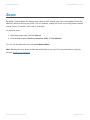
Zoom ......................................................................................................................................................... 90
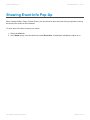
Showing Event Info Pop-Up ..................................................................................................................... 91
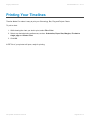
Printing Your Timelines ........................................................................................................................... 92
Printing Your Chart on a Single Page .................................................................................................... 93
Emailing Charts ........................................................................................................................................ 94
Copy & Paste Charts ................................................................................................................................ 95
Creating a Presentation ........................................................................................................................... 96
Presentation Options............................................................................................................................. 98
Viewing Presentations......................................................................................................................... 100
Inserting Charts into PowerPoint ......................................................................................................... 101
Sharing Your Files.................................................................................................................................. 103
Exporting Data........................................................................................................................................ 104
Publishing Charts................................................................................................................................... 105
Status Bar ............................................................................................................................................... 106
Switching Between Windows................................................................................................................. 107
Setting User Preferences ....................................................................................................................... 108