1
1.4 How to Use This Manual
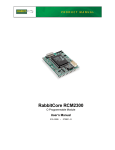
This user’s manual is intended to give users detailed information on the RCM2300 module. It does not contain detailed information on the Dynamic C development environment.
Most users will want more detailed information on some or all of these topics in order to
put the RCM2300 module to effective use.
1.4.1 Additional Product Information
Introductory information about the RCM2300 and its associated Development Kit and
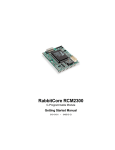
Prototyping Board will be found in the printed RabbitCore RCM2300 Getting Started
Manual, which is also provided on the accompanying CD-ROM in both HTML and
Adobe PDF format.
We recommend that any users unfamiliar with Z-World products, or those who will be
using the prototyping board for initial evaluation and development, begin with at least a
read-through of the Getting Started manual.
1.4.2 Additional Reference Information
In addition to the product-specific information contained in the RabbitCore RCM2300
Getting Started Manual and the RabbitCore RCM2300 User’s Manual (this manual),
two higher level reference manuals are provided in HTML and PDF form on the accompanying CD-ROM. Advanced users will find these references valuable in developing systems based on the RCM2300 modules:
• Dynamic C User’s Manual
• Rabbit 2000 Microprocessor User’s Manual
1.4.3 Using Online Documentation
We provide the bulk of our user and reference documentation in two electronic formats,
HTML and Adobe PDF. We do this for several reasons.
We believe that providing all users with our complete library of product and reference
manuals is a useful convenience. However, printed manuals are expensive to print, stock,
and ship. Rather than include and charge for manuals that every user may not want, or provide only product-specific manuals, we choose to provide our complete documentation
and reference library in electronic form with every Development Kit and with our
Dynamic C development environment.
NOTE: The most current version of Adobe Acrobat Reader can always be downloaded
from Adobe’s Web site at http://www.adobe.com. We recommend that you use version 4.0 or later.
Providing this documentation in electronic form saves an enormous amount of paper by
not printing copies of manuals that users don’t need. It reduces the number of outdated
manuals we have to discard from stock as well, and it makes providing a complete library
of manuals an almost cost-free option. For one-time or infrequent reference, electronic
documents are more convenient than printed ones.
User’s Manual
3