1
Recording/Displaying Data
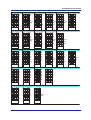
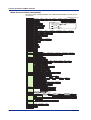
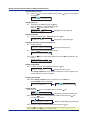
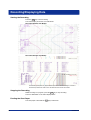
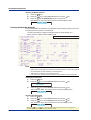
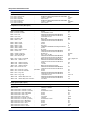
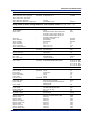
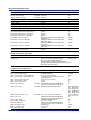
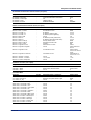
FUNC Key Operations in Operation Mode
The operations below can be carried out with the FUNC key in Operation mode.
References to the µR20000 Recorder User’s Manual (IM 04P02B01-01E) provided on
the CD-ROM are given in parentheses.
: Use the
FUNC key
: Use the
key.
Firmware version: 1.31
key.
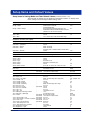
Alarm output release operation. This is displayed when the
settings are changed to use the alarm ACK operation.
Alarm ACK
(section 3.12)
Reset
Starts/stops the comuputation. This is displayed on models with
the computation function (/M1 option).
Resets the comuputation.
Manual Start/Manual Stop
Executes manual printout (printout of measured values).
List Start/List Stop
Executes the setting (Setting mode) printout.
Setup Start/Setup Stop
Executes setting (Basic Setting mode) printout.
Message 1
Prints message 1.
Message 2
Prints message 2.
Message 3
Prints message 3.
Message 4
Prints message 4.
Message 5
Prints message 5.
Alarm
Clears the data waiting to be printed in the alarm printout buffer.
Message
Clears the data waiting to be printed in the message printout buffer.
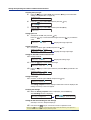
Keylock
(section 3.13)
Password
This is displayed when the settings are changed to use the key
lock function. It is used to activate or release the key lock.
Periodic
(section 3.11)
Reset
Pen exchange
(section 3.3)
Pen exchange = End
Ribbon exchange
(section 3.4)
Ribbon exchange = End
Resets the computed value when printing of the report data
(average, etc.) is specified in periodic printout and restarts the
calculation of the report data from that point.
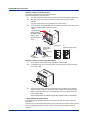
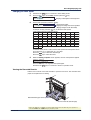
Moves the recording pen to a position that is easily accessible for
replacement on the pen model.
Moves the printer carriage near the center position when replacing
the ribbon cassette on the dot model.
Math
(section 9.1)
Print out
(sections 3.7, 3.8)
Message
(section 3.10)
Buffer clear
(sections 3.9, 3.10)
Start/Stop
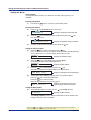
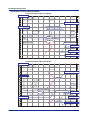
Printing Measured Values (Manual Printout)
The measured values of all channels are printed.
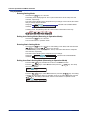
Starting the Manual Printout
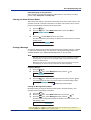
1.
Press the
2.
The FUNC= screen appears.
Press the
key to select Print out and then press the
FUNC
key.
key.
Func=Print out
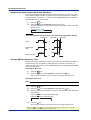
3.
Press the
key with Manual Start shown on the screen.
Manual printout starts. The screen returns to the data display screen.
Print=Manual Start
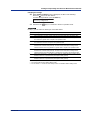
Note
•
•
•
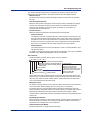
When manual printout is executed, trend recording is suspended. However, the recorder
continues the measurement and alarm detection (in the background).
When manual printout is complete, trend recording resumes.
If an alarm occurs during the manual printout, the alarm is printed after the recording
resumes.
* When the
key or
key is pressed while holding down the SHIFT key, the operation is
reversed as when the respective key is pressed by itself.
IM 04P02B01-02E
49