1
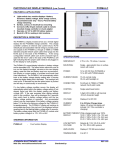
PHOTOVOLTAIC DISPLAY MODULE
PVDM6
5.
USER INSTRUCTIONS
1.
2.
3.
4.
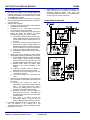
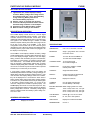
The power and signals to the PVDM6 display are
supplied through the CAT-5 network patch cable
connecting the PVDM6 to a PVCM40D charge controller
or PVDAM adaptor module.
The PVDM6 will normally revert back to the continuous
battery voltage display after approximately 4 minutes in
any other reading.
"Select" button operation:
a. “Tapping” or pressing the “select” button activates
the backlight for 30 seconds.
b. Pressing for ½ to 1 second then releasing the
button advances to the next reading.
c. From the battery voltage display only pressing and
holding the button will advance the display
automatically through each of the readings.
1) If the button is released before returning to the
battery voltage display, the reading will remain
in that position until the display times out (4
minutes).
2) If the button is held through all readings then
released at the battery voltage display, the
PVDM6 will enter the scroll mode, advancing to
the next reading every 3 seconds, indefinitely.
3) “Tapping” the button exits the scroll mode.
4) A low battery voltage condition will also exit the
scroll mode.
d. Display lock mode is available for Solar Charge
Amps, Battery Percentage and Battery Load Amps.
1) To lock display from timing out and reverting to
battery voltage, advance display to desired
position then press and hold the button until
the display flashes (approximately 3 seconds).
2) Release button when the display stops
flashing, it will remain indefinitely in that
reading.
3) “Tapping” the button while the display is
flashing prevents entering the lock mode.
4) Advancing to the next reading (see par. 3b)
cancels the lock mode.
5) Low battery voltage also cancels the lock
mode.
e. Resetting the Accumulated Amp hour readings to
zero is available for both Solar and Battery Load
Amp-hours.
1) Pressing and holding the button for
approximately 6 seconds will reset the display
value. The display starts flashing after 3
seconds, the reading goes to zero after 6
seconds and the display stops flashing.
2) Releasing the button while the display is
flashing cancels the reset. The display will
stop flashing and retain its current value after
several seconds.
3) Note: There is no display lock for the
accumulation displays. They will revert to
battery voltage after approximately 4 minutes.
Low battery voltage will cancel any user selections. The
user can advance to any reading, but it will
automatically return to the flashing low battery voltage
display after 5 seconds.
The PVDM6 is factory set to display all 6 readings. If a
battery load shunt is not installed, the dealer may
deactivate displaying Battery Load Amps and
Accumulated Battery Load Amps. The PVDM6 will then
scroll through only the first 4 readings.
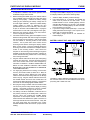
PVDM6 HOOKUP DIAGRAM
ATKINSON ELECTRONICS, INC.
Web Site: www.atkinsonelectronics.com
REV 1/03
Distributed by: