1
2. Installing/Updating R
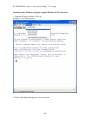
Installing under OS X (Build from Source)
If you need the latest version and a precompiled binary hasn't yet been created:
1. Download the latest version (toward bottom of screen - R-2.3.0.tar.gz at time of this
writing) from http://cran.r-project.org/src/base/R-2.
2. Be sure that the downloaded file is not in a folder containing a space in the name (like
My Downloads) - It will not work. Open a terminal window and cd to the folder
containing the file.
3. Unpack it by typing 'tar zxvf R-2.3.0.tar.gz' (or whatever the filename is)
4. CD into the unpacked directory (R-2.3.0 in this case). This directory should contain
make and configure files.
5. If you're using OS 10.4 (Tiger), issue the command 'sudo gcc_select 3.3' to force the
use of gcc 3.3.
6. Issue the command './configure'
7. Issue the command 'make'
8. Issue the command 'sudo chmod -R g+w /Library/Frameworks/R.framework' to change
file permissions.
9. Issue the command 'sudo make install'
Installing under OS X (Precompiled Binary Version)
This is the easiest way, but there is often a lag between when the latest version is
available and when a precompiled binary is available.
1. Download R. Get the MacOS X precompiled Binary Distribution from
http://cran.fhcrc.org
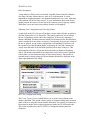
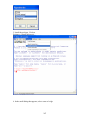
2. Install R by extracting the downloadeded .dmg file. A new volume will be mounted
containing the installer. Run the installer by double clicking on R2.1.1...mpkg.
You can place the Application anywhere you like, but the R framework is
probably installed into /Libraries/Frameworks/R.framework/versions/x.y.z/resources.
Installing under Windows
1. Download R. Get the Windows precompiled Binary Distribution from
http://cran.fhcrc.org
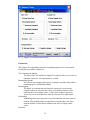
2. Install by double clicking the downloaded installer. You can install
anywhere, but remember where.
261