1
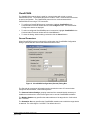
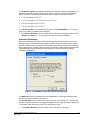
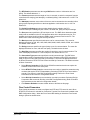
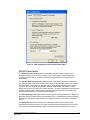
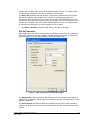
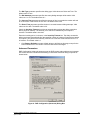
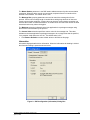
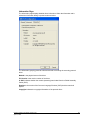
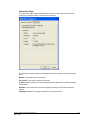
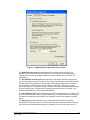
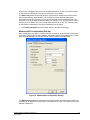
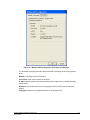
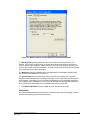
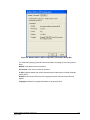
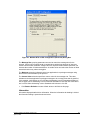
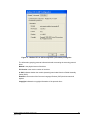
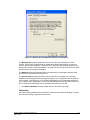
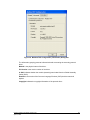
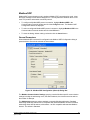
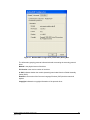
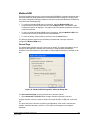
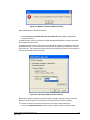
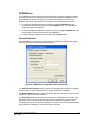
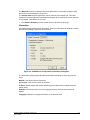
The Attempts parameter specifies the number of times to send a command to the controller before giving up and reporting this failure to the host application. Valid values are 1 to 20. The default value is 3 attempts. The Host Network Details grouping contains information about the IP network including the target‟s IP address or name, and the UDP port number on which it is listening. More details on these below. IP Address / Name The IP Address / Name parameter specifies the Ethernet IP address of the target RTU, or a DNS name that can be resolved to an IP address. The default value is blank. The following IP addresses are not supported and will be rejected: 0.0.0.0 through 0.255.255.255 127.0.0.0 through 127.255.255.255 (except 127.0.0.1) 224.0.0.0 through 224.255.255.255 255.0.0.0 through 255.255.255.255. The UDP Port No. field specifies the UDP port of the remote device. Valid values are 0 to 65534. The default value is 20000. Click Restore Defaults to restore default values to all fields on this page, except for the IP Address / Name field. The content of this field will remain unchanged. Advanced Page Advanced parameters are used to set the Master Station address and control the message size for the protocol. Control over message length is needed when writing large amounts of data over certain communication networks. A larger value can improve communication speed but can increase the number of failed transmissions. A smaller value can reduce the number of failed transmissions but may reduce throughput. When the Advanced tab heading is clicked the Advanced dialog is opened as shown below. Firmware Loader User Manual Version 2.50 April 22, 2008 28