1
User manual XC-31 XC-310 XC-4100
Table des matières
I.Introduction......................................................................5
I.1 - XC-31- 310 - 4100 serial ports server's serie...................................5
I.2 - Furnished features.............................................................................5
I.3 - Symbolics...........................................................................................5
II.Xcell overview.................................................................7
II.1 - XC-32..................................................................................................7
II.2 - XC-320................................................................................................7
II.3 - XC-4200..............................................................................................7
III.Installation......................................................................8
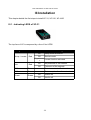
III.1 - Indicating LEDS of XC-31................................................................8
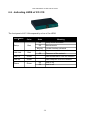
III.2 - Indicating LEDS of XC-310..............................................................9
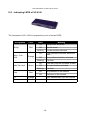
III.3 - indicating LEDS of XC-4100..........................................................10
III.4 - Ports and interfaces of XC-31.......................................................11
III.5 - Ports and interfaces of XC-310.....................................................11
III.6 - Ports and interfaces of XC-4100 ..................................................11
III.7 - Cautions..........................................................................................11
III.7.1 - Cleaning XC.................................................................................................11
III.7.2 - Note..............................................................................................................12
III.7.2.1 - About XC-31...........................................................................................12
III.7.2.2 - General note..........................................................................................12
IV.Configuration...............................................................13
IV.1 - Introduction....................................................................................13
IV.2 - Entering IP address.......................................................................13
IV.2.1 - Entering IP address from Xcell administrator..........................................13
IV.2.2 - Entering IP address from a terminal.........................................................14
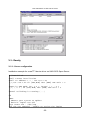
IV.3 - HTTP Configuration (Netscape, Internet Explorer).....................14
IV.4 - Network interface..........................................................................16
IV.4.1 - Identification................................................................................................16
IV.4.2 - Route checking with PING command.......................................................16
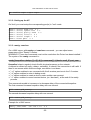
IV.4.3 - Routing table...............................................................................................17
IV.5 - Asynchronous interfaces..............................................................18
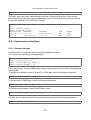
IV.5.1 - Software settings........................................................................................18
IV.5.2 - Asynchronous port mode..........................................................................19
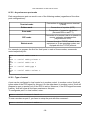
IV.5.3 - Type of control............................................................................................19
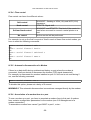
IV.5.4 - Flow control.................................................................................................20
IV.5.5 - Automatic disconnection of a Modem......................................................20
IV.5.6 - Association of a modem form to a port....................................................21
IV.5.7 - AutoUser mode...........................................................................................21
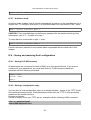
IV.6 - Saving and restoring Xcell configuration....................................21
IV.6.1 - Saving in FLASH memory..........................................................................21
IV.6.2 - Saving a configuration copy......................................................................21
IV.7 - Audit...............................................................................................22
-2-