1
Epsilen 2.0
Adding/Editing an Object: Internship
To add/edit an Internship:
1. Select Internship in the Type menu.
2. Complete the fields/choices as described in the following table:
Field
Function
Internship/Details
Identify and explain the Internship object.
3. When the necessary information has been added, click the Save button. The Edit Matrix
Cell page will show with a confirmation message stating that the object was added
successfully.
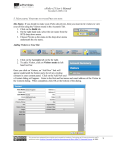
The illustration below displays the Edit Matrix Cell screen for adding an Internship.
Figure 15
Page 143 of 224
Manual 2.0
Version 1.07
Published 8/31/11