1
Epsilen 2.0
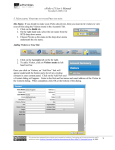
Upload File: Clicking the
currently viewing.
button allows you to upload a new file to the folder you are
Download File: Clicking the name of a file allows you to download the file and either open it
or save it to your computer.
View File Information: Clicking the
button allows you to view information about the file,
including its Direct Link that you may bookmark for easy access, and comments and reflections
that have been saved about the file.
Manage File Comments: Clicking the
comments for a file.
Manage File Reflections: Clicking the
reflections for a file.
Share File: Clicking the
button allows you to view, add and delete
button allows you to view, add, edit and delete
button allows you to share a file with others.
Send File: Clicking the
Epsilen Mail.
button allows you to send a file as an attachment to others using
Copy File: Clicking the
button allows you to create a copy of a file in a different folder.
Edit File: Clicking the
Delete File: Clicking the
button to the right of a file allows you to edit the file.
button to the right of a file allows you to edit the file.
Page 158 of 224
Manual 2.0
Version 1.07
Published 8/31/11