1
ENGINEER TEST OPTIONS
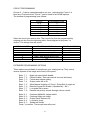
The engineer has available to him some test facilities so he can test bells etc.
without having to come out of engineering. These new options are accessed
by pressing 6 from the engineering mode and then selecting another option
below.
Enter 2
Enter 3
Enter 4
Enter 5
Enter 6
Enter 7
Enter 9
Internal buzzer ( entry exit sound etc. )
Internal Sounder ( Alarm sounds from speaker / keypad )
External Bell
External Strobe
L+ ( Latch Terminal for Latching Detectors )
ID- ( Impact Detector Reset )
FULL LOAD ( Everything on )
Press * to finish
FACTORY PROGRAMMING DEFAULTS 9 -9
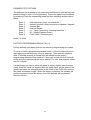
Factory defaults have been split into two sections, programming and codes.
To return to factory programming defaults enter 9 -9 the sounder will give a
rapid pipping sound (the entry hurry up warning). Then enter the engineer
code. If entered correctly an accept tone will sound and the factory
programming defaults will be restored. If any error is made an error tone will
sound and the programming will not be altered. The user and engineer codes
are not changed.
If at any stage you want to return the panel to factory default user/customer
codes, place the small link supplied with the spare fuses, on the memory link
(positioned below the microprocessor in the centre of the PCB) then remove
the mains and battery supply. When the supply is restored, the speaker will
omit the accept tone and the factory user code defaults will be restored.
Remove the link.
10