1
Web Browser Type (Ver4.2) Users Manual
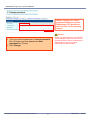
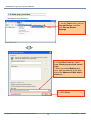
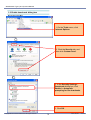
3.3 Enable downloads dialog box
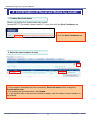
(例)Windows IEの場合
1.
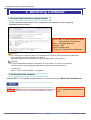
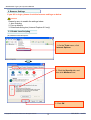
1. On
On the
the Tools
Tools menu,
menu, click
click
Internet
Internet Options.
Options.
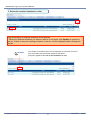
2.
2. Click
Click the
the Security
Security tab,
tab, and
and
then
click
Custom
Level.
then click Custom Level.
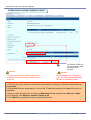
3.
3. In
In the
the Security
Security Settings
Settings ––
Downloads
Downloads dialog
dialog box,
box, click
click
Enable
for
Automatic
Enable for Automatic
prompting
prompting for
for file
file downloads.
downloads.
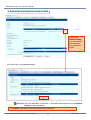
3.
3. Click
Click OK.
OK.
Copyright© NTT Communications 2013All rights reserved
14
2013/06/01
Ver3.2