1
5. PROGRAMMING OF MultiCONT
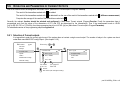
During programming the following can be performed:
−
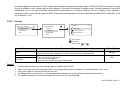
Automatic detection of devices (transmitters) connected to the MultiCONT, and putting them into the list of devices. Devices not on the list are part of
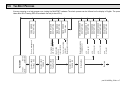
the system but are unable to communicate with the MultiCONT (see 5.2.3 Main menu / MultiCONT config / DEV detect).
−
Activation, inactivation of devices (transmitters) (See 5.2.3 Main menu / Devices).Theoretically all devices in the system should be working. (whether
in the list or not). Devices in the list automatically become active. Inactivation can be used to temporarily disable devices from the system.
−
Activation, inactivation of relays and current outputs (see Attachment 3 and 4)
−
Relays and current generators of the MultiCONT should also be activated (see Attachment 3 and 4)
Assignment of the MultiCONT outputs (relays, current outputs) to devices (transmitters)
−
Formation of functional values (difference of 2 measured values, sum or average of 2 or more measured values)
−
Remote programming of devices, although it is practical to program the devices in the laboratory before installation and wiring.
(parameters of the transmitters e.g. P01, P02, etc. will be used in this Manual in the same way as described in the Installation and User’s Manual)
−
Programming of MultiCONT outputs (Relay and current output parameters of the MultiCONT will be identified as RP1, RP2, RP3 and CR1, CR2,
CR3 respectively).
The programming of systems involving the MultiCONT universal interface assumes a sound knowledge of both the HART standard and the
programming of the connected devices.
During programming full scale of operation such as polling of devices, functioning of the relays and current outputs will be maintained.
Modifications will be automatically saved upon returning back to measurement mode.
If the MultiCONT is left in Programming Mode, it will automatically return to measurement 5 minutes after the last key was pressed (modifications
will be saved!).
prw1101a0600p_05.doc ♦ 21 / 89