1
ROTEM
AC-2000 PLUS
Control Menu
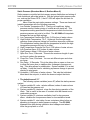
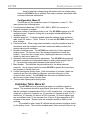
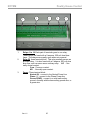
Experiment with the control using the temperature settings. Press
the MENU key to bring up the control menu. If you press MENU again, the
standard display will reappear.
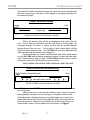
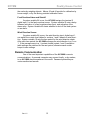
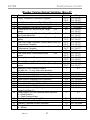
* CONTROL MENU *
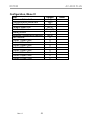
01 TEMPERATURE
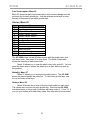
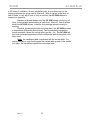
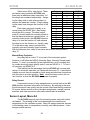
Note the two digits, ‘01,’ beside the ‘TEMPERATURE’. This number is
from the Quick Menu printed on the front of the AC-2000, to the left of the
display and keypad. Enter any quick menu number, and then press the
Enter key to quickly reach that information. You can also browse Quick
Menu items with the arrow keys. The blinking line under the ‘1’ is the cursor. It marks the point at which your typing will appear.
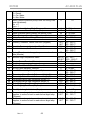
With menu ‘01 TEMPERATURE’ in the display, press the ENTER key.
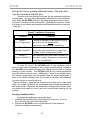
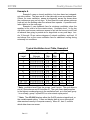
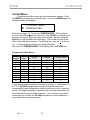
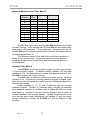
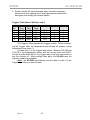
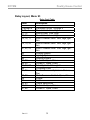
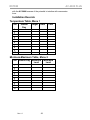
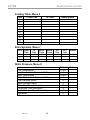
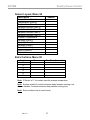
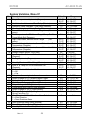
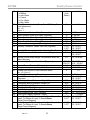
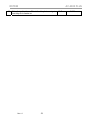
Temperature Table, Menu 1
Line
Number
1
2
3
4
5
6
7
8
9
10
Growth
Day
1
10
21
30
42
0
0
0
0
0
Target
Heating
Cooling/Tunnel
30
28
26
25
24
0
0
0
0
0
28
26
24
22
20
0
0
0
0
0
33
30
28
27
26
0
0
0
0
0
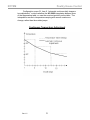
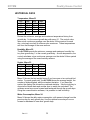
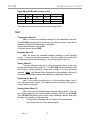
Target temperatures according to bird age go in Menu 1, Temperature Table. The AC-2000 provides space for up to ten growth dates with
corresponding target temperatures, heat set points and cool or tunnel set
points. The target temperature represents the ideal bird temperature; the
heat temperature controls heater operation. The cooling set point determines the point at which the AC-2000 switches into tunnel ventilation or
uses evaporative cooling equipment.
Rev:1.5
20