1
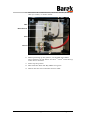
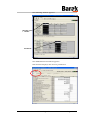
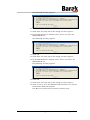
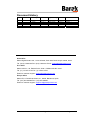
5. Reconnect the COMMUNICATION, the PORT, the M I/II and the
CPU I/O cables, as shown below.
LEDs
Microswitches
M I/II
CPU I/O
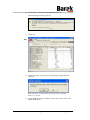
6. Before powering up the printer, set the INIT and CNFG
micro switches to ON. These are the 3rd and 4th from the top
of the micro switches.
7. Power up the printer.
8. Wait until the Run and Rdy LEDs turn green.
9. Switch the two micro switches back to OFF.
10100114 - A
© Matan Digital Printers Ltd.
Page 2 of 19