1
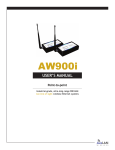
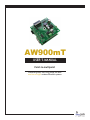
AW900mT
User’s Manual
Non-line-of-sight :: 900 MHz
AW900mT OEM Module
Thank you for your purchase of the AW900mT
multipoint wireless Ethernet module.
900 MHz non-line-of-sight, point-to-multipoint
radio transceiver module. Includes:
n
— (1) AW900mT RF module — RPSMA female
n
— (1) AWP8 8-inch pigtail — RPSMA male
— (1) to RPTNC bulkhead female
If you have any questions when configuring
your AvaLAN system, please send an e-mail to
[email protected].
For a live technician, please call technical
support at (650) 384-0000.
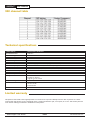
Requires antenna: Use with AW2, AW5H-900, AW5P-900,
AW6, AW10, AW11, or AW15 — all FCC approved
For advanced installation information, please
visit www.avalanwireless.com.
Operational summary
The AvaLAN AW900mT module allows a user to create an ultra-long-range, wireless Ethernet network for up to 16 subscriber units per
access point.
The access point (AP) automatically scans for the best of the 12 available radio channels, encrypts Ethernet data received from the
network, and transmits it wirelessly to the correct subscriber unit (SU). The AP is constantly monitoring the network performance and
automatically changes channels if the performance is degraded due to interference. The user may manually select any of the 12 radio
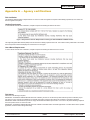
channels by toggling DIP switch settings (see Page 5). It is possible to operate up to 12 APs in the same area with each AP on a different
channel. To avoid interference, the APs should be spaced at least 10 feet apart. Typically the AP is attached to the wired network via an
Ethernet cable. The AP does not have a MAC/IP address.
Any 10BaseT Ethernet client device (ECD) can be connected to an AW900mT subscriber unit. Each SU encrypts Ethernet traffic received
from the attached ECD and transmits the data wirelessly to its AP. Each SU can be plugged directly into an ECD without adding drivers
or loading software. Crossover cables are never needed. Only one ECD can be attached to each SU, and fixed IP addresses are recommended for the attached ECDs. The DIP switches on the SU should be in the default OFF setting. To avoid overloading the module’s
receiver, the SU should be placed at least 10 feet from the AP, and 100 feet spacing is recommended if using the higher gain AW11 or
AW15 antennae.
The SU does not have its own MAC/IP address. AvaLAN modules use electronic network keys that allow the user to group modules
together to form a network. Network keys are shared between modules by connecting an Ethernet cable between the RJ45 ports while
the modules are in “key exchange mode” (modules that are in “key exchange mode” display the 6 LINK QUALITY LEDs blinking sequentially back and forth).
To share the keys and to create the network, the user first selects which module will be the access point (AP) by setting DIP switch 1 ON
(see Page 5 for DIP details). The other modules will function as subscriber units (SUs) and do not require any DIP settings. The user then
connects an Ethernet cable from the AP to each SU to transfer the network keys. For the AW900mT the key exchange will occur though
an Ethernet cable attached to the supplied POE injector. Key exchange will not work through a switch or hub. Once the key sharing is
complete the AP and SU change their LED displays in confirmation of the successful programming:
— The SU blinks one of the GREEN LINK QUALITY LEDs.
— The AP illuminated the LED labeled RF RX and the AP remains in “key exchange mode.”
n
n
If the user’s needs change, additional SUs can be added to the network and/or a SU can be reprogrammed to join a different network
and/or a SU can be changed into an AP and/or an AP into a SU. The modules cannot be damaged by incorrect programming. If DIP 1 is
accidentally toggled then DIP 1 can be turned back and the module still retains all the network associations it had in its previous mode
(assuming that the module had not yet successfully key exchanged with a new network). An AP can be reset by programming it as a SU
to a new AP and then turning it back into an AP again.
Please see the next page
Technical support :: (650) 384.0000
PAGE 2
www.avalanwireless.com