1
Beginning Mac Screen Recorder Studio
1.
1.Beginning
1-1. Creating a new project
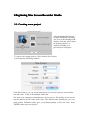
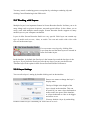
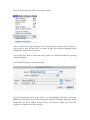
After launching Mac Screen
recorder Studio,the first thing
you’ll see is the Starting Point
window. You may click “Open
an Existing Project” to
continue working on a
previously saved project.
To create a new empty project, click Create a New Project
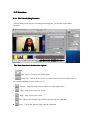
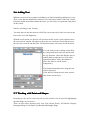
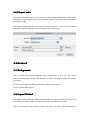
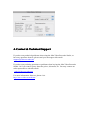
It will open the following window:
From this window, you can set the dimensions of your movie project, movie frame
rate and codec. 30 fps is the standard frame rate.
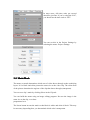
The odec is the compressor/decompressor of your movie. The quality of your movie
may be affected by the codec that it uses. The default codec should give you very
good quality. Different codecs give you different quality to file size ratios. Press
" to create your new project.
"OK"