1
Contents
1.
Using Testwise for the first time ................................................................................................. 4
2.
Logging In ..................................................................................................................................... 5
2.1.
Logging in to Testwise ........................................................................................................... 5
2.2.
I’ve forgotten my Customer ID ............................................................................................... 6
2.2.1.
I’ve forgotten my Email. ................................................................................................ 7
3.
The Student ................................................................................................................................... 8
3.1.
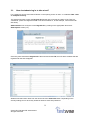
How do students log in to take a test? ................................................................................... 9
3.2.
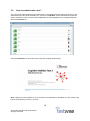
How do students take a test? .............................................................................................. 10
4.
The Administrator....................................................................................................................... 12
4.1.
Logging in ............................................................................................................................ 13
4.1.1.
How do I log in as Administrator? ............................................................................... 13
4.1.2.
Where do I get my password? .................................................................................... 13
4.1.3.
How do I complete the ‘Set Your Password’ form? .................................................... 13
4.1.4.
I’ve forgotten my password. ........................................................................................ 15
4.1.5.
My account is locked. .................................................................................................. 15
4.1.6.
My password has expired / is due to expire. ............................................................... 16
4.2.
Managing Your Profile ......................................................................................................... 17
4.2.1.
Changing your main email address. ........................................................................... 17
4.2.2.
Changing your alternative email address. .................................................................. 18
4.2.3.
Changing your password. ........................................................................................... 18
4.3.
Subscriptions ....................................................................................................................... 19
4.3.1.
How do I change my security settings? ...................................................................... 20
4.3.2.
How do I change the order assessments are displayed and taken? .......................... 21
4.4.
The Register ........................................................................................................................ 22
4.4.1.
How do I add students to a register? .......................................................................... 22
4.4.1.1. Adding Students Individually ....................................................................................... 22
4.4.1.2. Copying Students ........................................................................................................ 23
4.4.1.3. Importing Students ...................................................................................................... 24
4.4.2.
How can I demonstrate the assessment? ................................................................... 26
4.4.3.
How can I check students’ progress? ......................................................................... 27
4.4.4.
How can I check how many assessments have been taken? .................................... 28
4.4.5.
How do I view student details? ................................................................................... 29
4.4.6.
How do I reset a test to be taken again? .................................................................... 30
4.4.7.
How do I delete a student from the register? .............................................................. 31
4.4.8.
How do I export students? .......................................................................................... 32
4.4.9.
How can I print the register? ....................................................................................... 32
4.5.
Reporting ............................................................................................................................. 33
4.5.1.
What kind of reports can I generate? .......................................................................... 33
4.5.2.
Generating a report. .................................................................................................... 34
4.5.3.
How do I view/save reports? ....................................................................................... 39
4.5.4.
How do I delete reports? ............................................................................................. 39
4.5.5.
How do I create Year on Year reports? ...................................................................... 40
5.
Surveys ........................................................................................................................................ 43
5.1.
Survey Administration .......................................................................................................... 44
5.1.1.
What are Surveys?...................................................................................................... 44
5.1.2.
How do I get username and passwords?.................................................................... 44
5.1.3.
Getting the Register ID ............................................................................................... 44
5.1.4.
How do I check the status of surveys? ....................................................................... 45
5.1.5.
How do I preview / approve a survey? ........................................................................ 45
5.1.6.
What do I do when a survey is completed? ................................................................ 46
5.2.
Taking a Survey ................................................................................................................... 48
5.2.1.
How do I log in to take a survey? ................................................................................ 48
5.2.2.
How do I take a survey? ............................................................................................. 48
2
© 2015 GL Education/GL Assessment.
All rights reserved.