1
1. Using Testwise for the first time
Testwise is an on-line testing service designed to make testing easy. Our guide will take you step by
step through our site. This manual will guide you through everything from registering students for
assessments, to how the students log in, to generating your reports. This manual has been designed
for the Administrator and is not to be given to students.
Before you start testing we strongly advise you to pass the system requirements, which you
will find at the end of our guide, to your IT department to ensure you have no problems when
testing.
Our guide will use the following terminology:
Administrator is used to describe the role of the teacher or the member of staff who will be handling
the administration of the tests.
Student refers to the user who will be taking the test.
Assessments are the tests which you have purchased (CAT4, NGRT, SRS, PTE, PTM, etc.)
Subscriptions refer to what you have purchased, i.e. Assessments, Year on Year reports and
Surveys.
Register is the assessment’s class list featuring student details and the status of tests.
Survey Taker refers to a pupil, parent or staff member taking a survey.
Surveys are stakeholder surveys purchased.
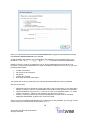
Before you start, ensure you have your Customer ID; this should have been provided to you in your
Welcome email in the form of a weblink with the Customer ID already defined (such as
www.testingforschools.com/#/<Customer ID>).
Our Technical Support Department are available to help if you need guidance using Testwise and
they can be contacted using the details below:
T:
+44 (0)330 123 5375 (IVR Menu Option 2)
[GL Education Overseas Customers: +44 1793 516349 - (IVR Menu Option 2)]
E:
[email protected]
Let’s get started…………..
4
© 2015 GL Education/GL Assessment.
All rights reserved.