1
10. Neighbor Configuration
112
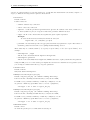
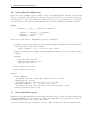
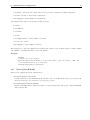
If the gatekeeper receives an LRQ that the destination is either unknown, it may forward this message to
its neighbors. When the gatekeeper receives an LRQ and decides that the message should be forwarded
on to another gatekeeper, it first decrements hopCount field of the LRQ. If hopCount has reached 0,
the gatekeeper shall not forward the message. This options defines the number of gatekeepers through
which an LRQ may propagate. Note it only affects the sender of LRQ, not the forwarder.
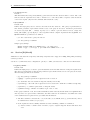
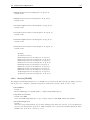
• AcceptForwardedLRQ=1
Default: 1
Whether to accept an LRQ forwarded from this neighbor.
• ForwardResponse=0
Default: 0
If the gatekeeper forwards received LRQ message it can decide either to receive the LCF response or
to let it travel back directly to the LRQ originator. Set this option to "1" if the gatekeeper needs to
receive LCF messages for forwarded LRQs.
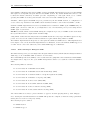
• ForwardLRQ=always | never | depends
Default: depends
This settings determines whether the received LRQ should be forwarded or not. always forwards LRQ
unconditionally, never blocks LRQ forwarding, depends tells the gatekeeper to forward LRQ only if
its hop count is greater than 1.
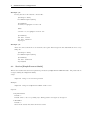
• H46018Client=1
Default: 0
Enable H.460.18 keep-alive messages to this neighbor and act as a traversal client.
• H46018Server=1
Default: 0
Act as a traversal server for another gatekeeper which is configured as traversal client.
No two neighbors for which we are acting as traversal server should have the same AuthUser name.
Since the IP of the traversal client can be unknown or changing, the user name is used to update the
IP for this neighbor.
• SendPassword=secret
Default: N/A
The password to send to the neighbor (right now only used for H.460.18 SCI). Encrypted if Keyfilled=
is set, plain text otherwise.
• SendAuthUser=Foo
Default: own GK-ID
The user name (gatekeeprID) to be used to send crypto tokens to this neighbor (right now only used
for H.460.18 SCI). The default value is this gatekeeper’s ID.
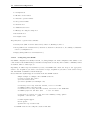
• UseTLS=1
Default: 0
Use TLS (transport layer security) with this neighbor. See also 12.11 ([TLS] section).
• SendLRQPing=1
Default: 0
Enable LRQ ping only for this neighbor.
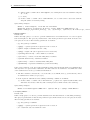
10.4
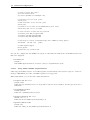
Configuring a Traversal Zone with GnuGk as Traversal Server
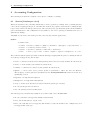
To configure a traversal zone with a Tandberg VCS, add a Zone of type "Traversal client" in the VCS.