1
Klinkmann Automation PROFACE GP Server
i
Table Of Contents
Overview......................................................................................................................... 1
Communication Protocols............................................................................................... 1
Accessing Remote Items via the PROFACE GP Server ................................................ 3
Installing the PROFACE GP Server ............................................................................... 3
Installing the I/O Server Infrastructure ..................................................................... 6
Configuring the PROFACE GP Server ........................................................................... 6
Server Settings Command ....................................................................................... 7
Node Definition Command....................................................................................... 9
Saving PROFACE GP Configuration File................................................................. 12
Configuration File Location ...................................................................................... 12
Topic Definition Command....................................................................................... 13
Item Names .................................................................................................................... 14
Monitoring and Controlling Communication with a PROFACE GPs......................... 15
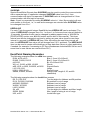
Item/Point Naming Examples................................................................................... 17
Using PROFACE GP Server with Suite Link and DDE Clients....................................... 18
Using the PROFACE GP Server with InTouch......................................................... 18
Defining the Access names ................................................................................. 18
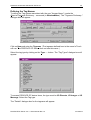
Defining the Tag Names ...................................................................................... 20
Monitoring the Status of Communication with InTouch........................................ 22
Notes on Using Microsoft Excel ............................................................................... 23
Reading Values into Excel Spreadsheets............................................................ 23
Writing Values to PROFACE GP Points .............................................................. 23
Using the PROFACE GP Server with OPC Clients ........................................................ 25
Configuring DCOM................................................................................................... 25
Running PROFACE GP “OPC & DDE” version as Windows NT Service................. 27
Using the PROFACE GP with OPCLink Server ....................................................... 28
OPCLink Topic Definition..................................................................................... 28
Accessing PROFACE GP Items via the OPCLink Server.................................... 29
Troubleshooting.............................................................................................................. 30
WIN.INI entries......................................................................................................... 30
Troubleshooting menu ............................................................................................. 32
PROFACE GP Server Ver 1.x User Manual Rev 1.2
4101XM12