1
Klinkmann Automation PROFACE GP Server
3
Accessing Remote Items via the PROFACE GP
Server
The communication protocol addresses an element of data in a conversation that uses a
three-part naming convention that includes the application name, topic name and item
name. The following briefly describes each portion of this naming convention:
application name
The name of the Windows program (Server) that will be accessing the data element. In
the case of data coming from or going to PROFACE GPs, the application portion of the
address is PROFACEGP.
topic name
Meaningful names are configured in the Server to identify specific devices. These names
are then used as the topic name in all conversations to that device. For example, Node1.
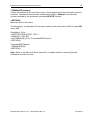
Note. You can define multiple topic names for the same device to poll different items at
different rates.
item name
Item is a specific data element within the specified topic. For the PROFACE GP Server,
an item can be a flag, input, output, register, timer, etc. in the PROFACE GP (the
item/point names are fixed by the PROFACE GP Server as described in the Item Names
section).
Note. In some cases, the term "point" is used interchangeably with the term "item".
Installing the PROFACE GP Server
Installing the Server
The PROFACE GP Server installation package can be supplied:
1. As a self-extracting archive (41010xxx.EXE for “Suite Link & DDE” version or
41011xxx.EXE for “OPC & DDE” version) if downloaded from Klinkmann’s web site
(the xxx is the current (latest) version of the Server).
2. From installation on CD.
3. On two or three distribution disks (floppies).
To install the PROFACE GP Server from the self-extracting archive, run the
41010xxx.EXE or 41011xxx.EXE and proceed as directed by the PROFACE GP Server
Setup program.
To install the PROFACE GP Server from CD or distribution disks, on MS Windows (NT,
2000, XP or 9x):
1. Insert the CD with Klinkmann Software into CD drive or insert the PROFACE GP
Server Disk1 into a floppy drive A: or B:.
2. Select the Run command under the Start menu.
3. Run STARTUP.EXE if installing from CD or SETUP.EXE if installing from distribution
disks (floppies).
PROFACE GP Server Ver 1.x User Manual Rev 1.2
4101XM12