1
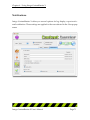
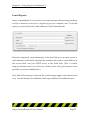
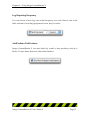
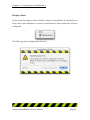
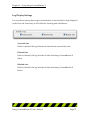
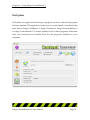
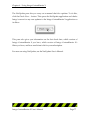
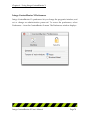
User's Manual
Intego ContentBarrier X User's Manual
Page 1
Intego ContentBarrier X for Macintosh
©2001 - 2003 Intego, Inc. All Rights Reserved
Intego, Inc.
www.intego.com
This manual was written for use with Intego ContentBarrier X software for
Macintosh. This manual and the Intego ContentBarrier X software described in it
are copyrighted, with all rights reserved. This manual and the Intego
ContentBarrier X software may not be copied, except as otherwise provided in
your software license or as expressly permitted in writing by Intego, Inc.
The Software is owned by Intego and its suppliers, and its structure, organization
and code are the valuable trade secrets of Intego and its suppliers. The Software is
protected by United States Copyright Law and International Treaty provisions.
Intego ContentBarrier X User's Manual
Page 2
Contents
1- About Intego ContentBarrier X..................................................................................5
What is Intego ContentBarrier X?.................................................................................................. 6
Intego ContentBarrier X's Features ............................................................................................................ 7
2 - Filtering Internet Content..........................................................................................8
A Brave New World .......................................................................................................................... 9
Types of Internet Content .......................................................................................................................... 10
Filtering Content.......................................................................................................................................... 10
How You can Help your Children Surf Responsibly ........................................................................... 11
Filtering Content in Businesses ................................................................................................... 12
Optimizing Productivity............................................................................................................................ 12
Optimizing Bandwidth .............................................................................................................................. 12
Protecting Your Company......................................................................................................................... 13
3 - Installation ...............................................................................................................14
System Requirements..................................................................................................................... 15
Installing Intego ContentBarrier X.............................................................................................. 15
Registering Intego ContentBarrier X .......................................................................................... 19
Using Intego ContentBarrier X in Evaluation Mode............................................................... 20
4 - Using Intego ContentBarrier X ...............................................................................21
Using Intego ContentBarrier X..................................................................................................... 22
Opening Intego ContentBarrier X ............................................................................................................ 25
Managing Users ............................................................................................................................... 26
Managing User Profiles ................................................................................................................. 27
Default User Profiles................................................................................................................................... 27
Saving User Profiles.................................................................................................................................... 28
Creating Custom User Settings................................................................................................................. 30
Defining Content Settings ............................................................................................................ 31
Filtering ......................................................................................................................................................... 31
Adding Custom Filters............................................................................................................................... 33
Editing Custom Filters................................................................................................................................ 36
Deleting Custom Filters ............................................................................................................................. 37
Redirecting Blocked and Filtered Sites.................................................................................................... 38
Using Search Engine Redirection................................................................................................ 38
Adding Redirection Sites ........................................................................................................................... 39
Removing Redirection Sites....................................................................................................................... 41
Filtering E-mail ............................................................................................................................................ 42
Using Schedules .............................................................................................................................. 43
Setting Time Restrictions with the Timetable ........................................................................................ 44
Setting Time Limits with the Timetable.................................................................................................. 47
Editing Time Limits .................................................................................................................................... 49
Removing Time Limits............................................................................................................................... 49
Intego ContentBarrier X User's Manual
Page 3
Using Trusted Sites......................................................................................................................... 50
Adding Trusted Sites .................................................................................................................................. 52
Removing Trusted Sites ............................................................................................................................. 53
Using Blocked Sites ........................................................................................................................ 54
Adding Blocked Sites.................................................................................................................................. 56
Removing Blocked Sites............................................................................................................................. 57
AntiPredator ..................................................................................................................................... 58
Displaying Filters ........................................................................................................................................ 59
Adding Filters .............................................................................................................................................. 60
Editing Filters............................................................................................................................................... 61
Deleting Filters............................................................................................................................................. 61
Using the Log.................................................................................................................................... 62
How the Log works..................................................................................................................................... 63
Understanding the Log .............................................................................................................................. 64
Accessing Sites in the Log.......................................................................................................................... 66
Sorting the Log............................................................................................................................................. 66
Clearing the Log .......................................................................................................................................... 67
Exporting the Log........................................................................................................................................ 67
Statistics......................................................................................................................................................... 69
Clearing Statistics ........................................................................................................................................ 70
Notifications ..................................................................................................................................... 71
E-mail Reports.............................................................................................................................................. 72
Display Alerts .............................................................................................................................................. 74
Log Display Settings ................................................................................................................................... 75
NetUpdate ......................................................................................................................................... 76
Intego ContentBarrier X Preferences ....................................................................................................... 78
Changing the Intego ContentBarrier X Interface................................................................................... 79
Security.......................................................................................................................................................... 81
Locking the Intego ContentBarrier X Interface ........................................................................ 83
About Intego ContentBarrier X................................................................................................................. 84
5 - Technical Support.....................................................................................................85
6 - Glossary ....................................................................................................................87
Intego ContentBarrier X User's Manual
Page 4
Chapter 1 – About Intego ContentBarrier X
1- About Intego
ContentBarrier X
Intego ContentBarrier X User's Manual
Page 5
Chapter 1 – About Intego ContentBarrier X
What is Intego ContentBarrier X?
Intego ContentBarrier X is a content control program for the Macintosh, providing
functions for parents and businesses. It is designed to filter and block certain
Internet content according to the settings you choose. Intego ContentBarrier X
blocks adult web sites, sites with subjects not fit for children, and even blocks chats
when predatory language is used. It blocks all offensive content coming from the
Internet.
Intego ContentBarrier X works with multiple users, and interfaces seamlessly with
the Mac OS X user accounts on your computer. If you have several children, you
can set different criteria corresponding to their age or maturity. You can choose
whether they have access to newsgroups, e-mail, or whether they can download
files. You can set the program to let them only use the Internet at certain times, and
on certain days. The program can even send you e-mail, automatically, when
certain events occur.
You don’t let your children read just anything, do you? Well, without Intego
ContentBarrier X, they can see whatever they want on the Internet, unless you’re
there to watch over their shoulders. With Intego ContentBarrier X, the Internet is a
safer place for your children.
Intego ContentBarrier X sets up a protective wall around your computer. Its predefined filters let you choose what you don’t want your children to see, and you
can create your own custom filters as well. Inappropriate web sites are blocked,
shielding your children from content they are too young for. You can also choose
to allow access only to sites you select.
Intego ContentBarrier X keeps a complete log of all web sites visited, whether
blocked or not. This gives you a full record of your children’s activities on the
Intego ContentBarrier X User's Manual
Page 6
Chapter 1 – About Intego ContentBarrier X
Internet. Intego ContentBarrier X makes the Internet a safer place for your
children.
Intego ContentBarrier X's Features
•
Blocks and filters all offensive material from the Internet
•
Customizable profiles—if you have several children, you can adjust the
settings for their age and maturity
•
Seamless interface with Mac OS X user accounts
•
Multiple levels of protection
•
Pre-determined filters for safe and easy content filtering
•
Automatic search engine redirection
•
Limits Internet access by day and time
•
AntiPredator function to block predatory language in chat sessions
•
Special Site selection—you can set the program to block all sites except
those you select
•
Detailed logs of each user's Internet usage
•
Traffic data recorded for an overview of Internet use
•
Automatic updates with Intego's NetUpdate function
•
Only authorized users can change program settings
•
Automatic e-mail notification of certain events
Intego ContentBarrier X User's Manual
Page 7
Chapter 2 – Filtering Internet Content
2 - Filtering Internet
Content
Intego ContentBarrier X User's Manual
Page 8
Chapter 2 – Filtering Internet Content
A Brave New World
It’s a brave new world out there on the Internet: a world of information,
entertainment and fun. You can surf the web for hours, going from news sites to
sports sites, from movies to music, but, sooner or later, whether you like it or not,
you will come across the dark underbelly of the Internet. For not all is as it seems.
Sometimes you'll look for something in a search engine and come up with a list of
links that seem to correspond to your search, when, in reality, some of them are
pornography sites, others are hate sites, and some are propaganda for cults.
You may be convinced that the Internet is the library of the future, and you may
want you children to use it for their homework and entertainment, but do you
really want them to see everything that's out there? You don’t let them read just
anything, do you? Well, without Intego ContentBarrier X, they can see whatever
they want, unless you’re there to watch over their shoulders. Intego ContentBarrier
X makes the Internet a safer place for your children.
The Internet is still young, and, from its earliest days, when it expanded beyond
research laboratories and universities, it has been a kind of frontier land where
anything goes. While this freedom is what gives the Internet its strength, it is also
what makes it dangerous for children.
Some people see the Internet as a huge library, newsstand and bookstore all in one.
This is actually a good metaphor. But when you think about it, you don't give your
children free rein in the library, nor do you let them look at every magazine you
find on your local newsstand. The problem with the Internet is that its very nature,
that of hypertext links from one site to another, means that content inappropriate
for children is often just a mouse click away.
Intego ContentBarrier X User's Manual
Page 9
Chapter 2 – Filtering Internet Content
Types of Internet Content
Children use the Internet for many purposes today: to do their homework, to
present creative writing, artwork or photos, to do research for school, to find out
more about their favorite singers or movies, and to communicate with other
children, whether they be next door or in other countries. Many children have their
own home pages, telling their interests and hobbies, and others participate in chats
with their peers around the world.
In most cases, there is nothing dangerous about what they do, but many parents
are concerned about the variety of subject matter that is seen on the Internet.
Content presenting sexually explicit images, violence, gambling, alcohol
advertising, ideological extremism, etc., is easily found, whether accidentally or on
purpose. While parents consider it normal to protect their children from this
content in books and magazines, and count on their local public libraries and
schools to do so, there is no such protection on the Internet.
Add to that the complication of the various national laws in the many countries
accessible via the Internet—while national or local standards may exist in some
areas, controlling such content, other areas may have no legislation at all.
Gambling is legal in many countries, as is pornography; and, on the Internet, as we
all know, there are no borders.
Filtering Content
While adults have the right to free speech, many parents feel that their children
should have the right to be protected from content that conflicts with their moral
values. While freedom of expression does and should exist, there must be a way to
protect children from content that is inappropriate for their age or maturity.
Intego ContentBarrier X User's Manual
Page 10
Chapter 2 – Filtering Internet Content
This inappropriate content can include web sites, chat rooms, newsgroups and
even e-mail. It should be up to parents to decide which of the many Internet
resources their children can access.
The only solution to this problem is to filter Internet content with a program such
as Intego ContentBarrier X. This program allows you to choose the specific filters
you wish to filter and the level of filtering applied. You can also choose to allow
your children to access only those trusted sites you enter into the program, for the
highest level of security.
How You can Help your Children Surf Responsibly
The best way to ensure that your children surf responsibly is to stand by their sides
and help them choose what is right for them. But not all parents have the time for
this, and it is essential to allow children to have a certain amount of freedom.
Intego ContentBarrier X helps by offering the possibility of filtering the filters you
want, or by allowing access only to trusted sites. But Intego ContentBarrier X also
keeps a full log of your children's Internet sessions, so, if you want to give them
freedom, you can check up on them afterwards.
Intego ContentBarrier X User's Manual
Page 11
Chapter 2 – Filtering Internet Content
Filtering Content in Businesses
While parents may want to protect their children by filtering Internet content,
business managers may do the same thing to protect their bottom line. The Internet
certainly gives their employees access to an endless source of information, but it
also gives them plenty of chances to waste time. How many employees do their
shopping on the Internet, play network games, send and receive personal e-mail or
download MP3 files, reducing productivity and using valuable network
bandwidth?
Intego ContentBarrier X can solve this problem by blocking access to many
different types of sites, and contains specific filters for web sites designed for
business use.
Optimizing Productivity
The Internet can help improve employee productivity, by providing the latest
information, but this productivity can drop sharply if employees spend their time
playing games on the Net, checking sports scores or managing their investment
portfolios. Also, your employees might be spending your time looking for a new
job, consulting on-line job sites and sending résumés by e-mail. Intego
ContentBarrier X helps you optimize productivity by blocking the sites you choose,
such as shopping, financial or job sites.
Optimizing Bandwidth
Your network bandwidth is valuable. Not only is it expensive, but when you need
to send or receive large files, you need that bandwidth to be available. If your
Intego ContentBarrier X User's Manual
Page 12
Chapter 2 – Filtering Internet Content
employees are wasting your bandwidth by downloading MP3 files, software or
movies, you may find your network clogged. Intego ContentBarrier X lets you
block access to FTP servers, and you can also block the download of movies and
MP3 files.
Protecting Your Company
If your employees spend their working time surfing sexually explicit sites, this not
only reduces productivity, but it may even expose you to liability for sexual
harassment. Sending private e-mail over your mail server can also expose you to
liability, and even prosecution, since your business is responsible for what
circulates on its network. Intego ContentBarrier X lets you selectively block access
to different web site filters so your employees get down to business, all the time.
Intego ContentBarrier X User's Manual
Page 13
Chapter 3 – Installation
3 - Installation
Intego ContentBarrier X User's Manual
Page 14
Chapter 3 – Installation
System Requirements
•
Any officially-supported Mac OS X compatible computer
•
Mac OS X 10.1.1 or higher, or Mac OS X Server 10.1.1 or higher
•
20 MB free hard disk space
•
Minimum screen resolution 800 x 600
Installing Intego ContentBarrier X
Installing Intego ContentBarrier X is very simple. Insert the Intego ContentBarrier
X CD-ROM in your computer's CD-ROM drive. A window opens containing the
Intego ContentBarrier X installer, the Read me file, the Intego ContentBarrier X
manual (this file), and an Acrobat Reader installer. (If you purchased a download
version of Intego ContentBarrier X, you will have a disk image file called Intego
ContentBarrier X Install.dmg. Double-click this file to open the disk image, which
will mount on the desktop.)
First, read the Read me file, for any late-breaking changes.
Then, double-click the Intego ContentBarrier X installer.
Intego ContentBarrier X User's Manual
Page 15
Chapter 3 – Installation
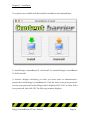
Two options are available with this installer: installation and uninstallation.
To install Intego ContentBarrier X, click Install. To uninstall Intego ContentBarrier
X, click Uninstall.
A window displays informing you that you must enter an administrator’s
password to install Intego ContentBarrier X. Click the lock to enter your password,
or enter your password in the dialogue that is displayed (OS X 10.2 or later). Enter
your password, then click OK. The following window displays:
Intego ContentBarrier X User's Manual
Page 16
Chapter 3 – Installation
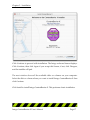
Click Continue to proceed with installation. The Intego software license displays.
Click Continue, then click Agree if you accept this license; if not, click Disagree,
and the installer will quit.
The next window shows all the available disks or volumes on your computer.
Select the disk or volume where you want to install Intego ContentBarrier X then
click Continue.
Click Install to install Intego ContentBarrier X. This performs a basic installation.
Intego ContentBarrier X User's Manual
Page 17
Chapter 3 – Installation
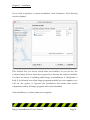
If you wish to perform a custom installation, click Customize. The following
window displays:
This window lets you choose which items are installed. As you can see, the
Common Intego Services check box is grayed out, because this must be installed.
You have the choice of installing either Intego ContentBarrier X, NetUpdate or
both. If you already have other Intego programs installed on your computer, you
will see the option to Upgrade the installation—this means that certain
components used by all Intego programs will not be reinstalled.
After installation, you must restart your computer.
Intego ContentBarrier X User's Manual
Page 18
Chapter 3 – Installation
Registering Intego ContentBarrier X
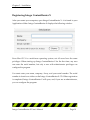
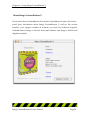
After you restart your computer, open Intego ContentBarrier X - it is found in your
Applications folder. Intego ContentBarrier X displays the following window:
Since Mac OS X is a multi-user operating system, not all users have the same
privileges. When starting up Intego ContentBarrier X for the first time, any user
can enter the serial number, but only a user with administrator privileges can
configure the program.
You must enter your name, company, if any, and your serial number. The serial
number is found on a sticker on the Intego ContentBarrier X CD. When registration
is completed, Intego ContentBarrier X will open, and, if you are an administrator,
you can configure the program.
Intego ContentBarrier X User's Manual
Page 19
Chapter 3 – Installation
Using Intego ContentBarrier X in Evaluation Mode
Intego ContentBarrier X offers an evaluation mode, so you can discover how the
program works before purchasing it. To use Intego ContentBarrier X in evaluation
mode, click Demo when the registration screen displays. Intego ContentBarrier X
then displays a screen asking if you want to run the program in Evaluation mode.
If you do, click Evaluation mode; if not, click Cancel.
When Intego ContentBarrier X runs in evaluation mode, it functions for 30 days. At
the end of this period, you can either purchase a license for Intego ContentBarrier
X or delete the program.
You can find out how much time is left in your evaluation session by choosing
Serialization… from the Intego ContentBarrier X menu. This screen tells you that
the program is in evaluation mode, and shows the time remaining. When you
purchase a license, you can enter your serial number here to run the program
normally.
Intego ContentBarrier X User's Manual
Page 20
Chapter 4 – Using Intego ContentBarrier X
4 - Using Intego
ContentBarrier X
Intego ContentBarrier X User's Manual
Page 21
Chapter 4 – Using Intego ContentBarrier X
Using Intego ContentBarrier X
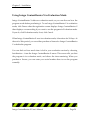
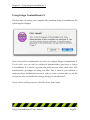
The first time you restart your computer after installing Intego ContentBarrier, the
following alert displays:
Only a user with an administrator account can configure Intego ContentBarrier X.
If you wish, you can add an additional administration password to Intego
ContentBarrier X at launch, to protect the software even when other users with
administrator's privileges are using your Mac. This is useful if your children or
employees have administrator accounts, and you want to ensure that you are the
only person who can modify the settings of Intego ContentBarrier X.
If you wish to set this password, click OK. If not, click Cancel.
Intego ContentBarrier X User's Manual
Page 22
Chapter 4 – Using Intego ContentBarrier X
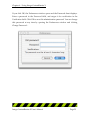
If you click OK, the Preferences window opens and the Password sheet displays.
Enter a password in the Password field, and retype it for verification in the
Verification field. Click OK to save this administration password. You can change
this password at any time by opening the Preferences window and clicking
Change Password…
Intego ContentBarrier X User's Manual
Page 23
Chapter 4 – Using Intego ContentBarrier X
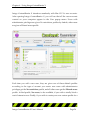
Intego ContentBarrier X interfaces seamlessly with Mac OS X’s user accounts.
After opening Intego ContentBarrier X, you will see that all the user accounts
created on your computer appear in the User popup menu. Users with
administrator privileges are given No restrictions profiles by default; other users
are given a Filtered access profile.
Each time you add a new user, they are given one of these default profiles
according to the type of account you create: new users with administrator
privileges get the No restrictions profile, and all other users get the Filtered access
profile. A third profile, No access, is also available, if you wish to totally block a
user’s Internet access. Finally, if you wish to create your own custom profile for a
Intego ContentBarrier X User's Manual
Page 24
Chapter 4 – Using Intego ContentBarrier X
given user, check the Customized radio button. See below for more on creating
custom profiles.
Opening Intego ContentBarrier X
Intego ContentBarrier X is installed in your Macintosh’s Applications folder. To
open Intego ContentBarrier X, go to this folder then double-click the Intego
ContentBarrier X application icon.
Intego ContentBarrier X User's Manual
Page 25
Chapter 4 – Using Intego ContentBarrier X
Managing Users
Intego ContentBarrier X uses the user accounts you create on your computer. To
create, edit or delete user accounts, open the System Preferences application, from
the Apple menu, then click the Accounts icon. For information on creating user
accounts in Mac OS X, see your Mac OS X documentation or use the Mac OS X
Help menu.
Only users with administrator accounts can create new user accounts, and only
administrators can make changes to Intego ContentBarrier X’s settings.
Intego ContentBarrier X automatically adjusts its settings for the current user.
When a user logs in under Mac OS X, these settings are applied according to the
profile and other settings you choose in Intego ContentBarrier X.
You choose which user whose settings you are configuring from the popup menu
on the Profile pane of the main Intego ContentBarrier X interface.
Intego ContentBarrier X User's Manual
Page 26
Chapter 4 – Using Intego ContentBarrier X
Managing User Profiles
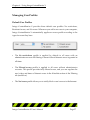
Default User Profiles
Intego ContentBarrier X provides three default user profiles: No restrictions,
Restricted access, and No access. Whenever you add a new user to your computer,
Intego ContentBarrier X automatically applies an access profile according to the
type of account they have.
•
The No restrictions profile is applied by default to all users with an
administrator account: all filtering is turned off and Internet access is granted at
all times.
•
The Filtered access profile is applied to all users without administrator
accounts. This profile provides fully filtered access, and you can regulate the
user’s days and times of Internet access in the Schedule section of the Filtering
tab (see below).
•
The No Access profile allows you to totally block a user's access to the Internet.
Intego ContentBarrier X User's Manual
Page 27
Chapter 4 – Using Intego ContentBarrier X
Saving User Profiles
If you create a customized profile for one of your users, you may want to apply the
same profile to other users. After choosing all the filters and settings you want to
apply, you can export a profile to save it, then import it to apply it to another user.
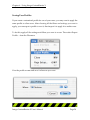
To do this, apply all the settings and filters you want to a user. Then select Export
Profile… from the File menu.
Give the profile a name and save it wherever you want.
Intego ContentBarrier X User's Manual
Page 28
Chapter 4 – Using Intego ContentBarrier X
If you wish to apply this profile to another user, select the user's name in the User
popup menu, then select Import profile… from the File menu. (Note: to apply a
saved profile to a user you must first check the Customized radio button after
selecting the user from the popup menu.)
Locate the saved profile in the standard file dialog that displays, then click OK. All
the settings and filters contained in this profile are applied to the selected user.
You can make changes to this user's settings, modifying the settings you imported
from the saved profile, but these changes will not affect the saved profile.
Intego ContentBarrier X User's Manual
Page 29
Chapter 4 – Using Intego ContentBarrier X
Creating Custom User Settings
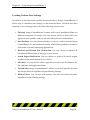
In addition to the three basic profiles mentioned above, Intego ContentBarrier X
allows you to customize user settings, to fine tune the filters, schedule and other
elements. You can change any or all of the following for each user:
•
Filtering: Intego ContentBarrier X comes with a set of predefined filters for
different categories of content. You can choose which of these filters are
applied in your profiles, and you can also add your own custom filters.
•
Anti-Predator: You can choose whether or not you wish to activate Intego
ContentBarrier X’s anti-predator function, which filters predatory content in
chat rooms or instant messaging applications.
•
Blocked and Filtered Site Redirection: You can choose to redirect all
blocked and filtered sites to the page of your choice.
•
Search Engine Redirection: You can choose to redirect all search engine
requests to the search engine of your choice.
•
Schedule: You can choose when a specific user can access the Internet, by
day and time, and apply time limits.
•
Trusted Sites: Intego ContentBarrier X allows you to add specific sites that
are always allowed, regardless of your filtering settings.
•
Blocked Sites: You can also add specific sites that are always blocked,
regardless of your filtering settings.
Intego ContentBarrier X User's Manual
Page 30
Chapter 4 – Using Intego ContentBarrier X
Defining Content Settings
As mentioned above, Intego ContentBarrier X lets you define settings for six
elements that determine how users can interact with the Internet and what type of
content they can access. To apply custom settings for any user, first choose their
name from the User popup menu, then click the Customized radio button.
Filtering
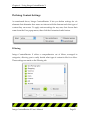
Intego ContentBarrier X offers a comprehensive set of filters, arranged in
categories, allowing you to easily decide what type of content to block or allow.
These settings are made on the Filtering tab.
Intego ContentBarrier X User's Manual
Page 31
Chapter 4 – Using Intego ContentBarrier X
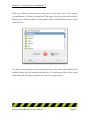
When you check Customized for any user for the first time, all of Intego
ContentBarrier X's filters are turned off. The green icon shows that each of these
filters is set to Allowed status. To change this, click on of the filters to select it, then
click Blocked.
The filter's icon changes to red, showing that it is now active and will block all
related content for the currently selected user. To deactivate a filter, select it and
check Allowed. It reverts to a green icon, and is no longer active.
Intego ContentBarrier X User's Manual
Page 32
Chapter 4 – Using Intego ContentBarrier X
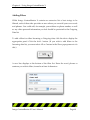
Adding Custom Filters
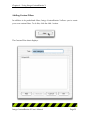
In addition to its predefined filters, Intego ContentBarrier X allows you to create
your own custom filters. To do this, click the Add... button.
The Custom Filter sheet displays.
Intego ContentBarrier X User's Manual
Page 33
Chapter 4 – Using Intego ContentBarrier X
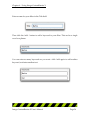
Enter a name for your filter in the Title field.
Then click the Add... button to add a keyword to your filter. This can be a single
word or a phrase.
You can enter as many keywords as you want—click Add again to add another
keyword, and enter another text.
Intego ContentBarrier X User's Manual
Page 34
Chapter 4 – Using Intego ContentBarrier X
If you wish to remove a keyword, click it to select it, then click the Remove button.
An alert displays, asking if you are sure you want to delete this keyword. Click OK
to delete it, or click Cancel to keep it.
After you have added as many keywords as you want to your filter, click OK to
save the filter, or click Cancel to cancel the operation. Your custom filters appear at
the top of the filter list. They are shown in bold type.
Intego ContentBarrier X User's Manual
Page 35
Chapter 4 – Using Intego ContentBarrier X
You can activate or deactivate any of your custom filters by selecting them and
clicking Blocked.
Editing Custom Filters
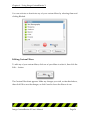
To edit any of your custom filters, click one of your filters to select it, then click the
Edit … button.
The Custom Filter sheet appears. Make any changes you wish, as described above,
then click OK to save the changes, or click Cancel to leave the filter as it was.
Intego ContentBarrier X User's Manual
Page 36
Chapter 4 – Using Intego ContentBarrier X
Deleting Custom Filters
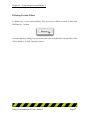
To delete any of your custom filters, click one of your filters to select it, then click
the Remove… button.
An alert displays, asking if you are sure you want to delete this custom filter. Click
OK to delete it, or click Cancel to keep it.
Intego ContentBarrier X User's Manual
Page 37
Chapter 4 – Using Intego ContentBarrier X
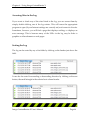
Redirecting Blocked and Filtered Sites
When Intego ContentBarrier X's filters block access to web pages, or when a user
attempts to view sites that are listed in the Blocked Sites tab, the program displays
a warning in their browser, saying that Intego ContentBarrier X has blocked the
page. If you wish, you can redirect blocked and filtered sites to the web page of
your choice.
If you wish to redirect these sites to another page, such as your home page, or a
special page on an internal network, click the popup menu, and select Edit…
Using Search Engine Redirection
Intego ContentBarrier X allows you to redirect Internet searches to the search
engine of your choice. If a user enters the name of a search engine, such as Google,
Yahoo!, AltaVista, Excite, etc. in their web browser, and you have activated this
function, their search will be redirected to the search engine you have chosen.
These settings are made on the Filtering tab.
To activate search engine redirection, check the Redirect search engine to:
checkbox, and select a search engine from the popup menu.
Intego ContentBarrier X User's Manual
Page 38
Chapter 4 – Using Intego ContentBarrier X
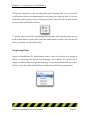
Intego ContentBarrier X includes menu items for family-friendly search engines for
this redirection.
Adding Redirection Sites
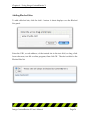
You can also add your own search engines to the Redirection menu. To do this,
select Edit... from the popup menu. The Redirection Site sheet displays.
Intego ContentBarrier X User's Manual
Page 39
Chapter 4 – Using Intego ContentBarrier X
To add a redirection site, click the Add... button. A new line will appear in the
Redirection Site list. Enter the URL, or web address, of the redirection site in the
text field.
You can add as many redirection sites as you wish. When you have finished, click
Close to close the Redirection Site sheet, or click Cancel to cancel the operation.
Intego ContentBarrier X User's Manual
Page 40
Chapter 4 – Using Intego ContentBarrier X
Removing Redirection Sites
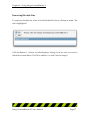
To remove a redirection site, select Edit... from the popup menu. The Redirection
Site sheet displays.
Click the redirection site you want to delete, then click Remove. An alert displays,
asking if you are sure you want to delete this redirection site. Click OK to delete it,
or click Cancel to keep it. Click Close to close the Redirection Site sheet.
Changing the Redirect Search Engine
If you wish to change the search engine used as a redirection site, click the Redirect
Search menu and select the site you wish to use.
Intego ContentBarrier X User's Manual
Page 41
Chapter 4 – Using Intego ContentBarrier X
Filtering E-mail
Intego ContentBarrier X allows you to apply its built-in content filters to e-mail
messages as well as web pages.
If you check Filter e-mails with selected filters, Intego ContentBarrier X monitors
incoming e-mail. If any message is found containing content in one of the active
filters, Intego ContentBarrier X blocks the connection with the mail server. In this
case, no mail can be received.
To unblock e-mail, an administrator must change the user's profile and turn off email filtering to be able to receive e-mail waiting on their mail server.
If e-mail filtering is turned on, e-mails will be filtered, even if the user's profile
contains the Exclusive option on the Trusted Sites tab. For more on the Exclusive
option, see Trusted Sites below.
Intego ContentBarrier X User's Manual
Page 42
Chapter 4 – Using Intego ContentBarrier X
Using Schedules
Intego ContentBarrier X lets you set a schedule for each of your users, either
individually, or as part of a custom user profile. You can offer users unlimited
Internet access, or only allow them to access the Internet on certain days and
during certain periods. These settings are made on the Filtering tab.
Under the No Restrictions and Filtered Access profiles, users have access to the
Internet at all times; under the No Access profile, they have no Internet access. If
you wish to set a schedule for a user, you must select the Customized profile.
Intego ContentBarrier X User's Manual
Page 43
Chapter 4 – Using Intego ContentBarrier X
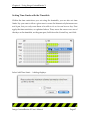
Setting Time Restrictions with the Timetable
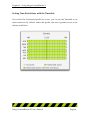
If you select the Customized profile for a user, you can use the Timetable to set
time restrictions. By default, under this profile, the user is granted access to the
Internet at all times.
Intego ContentBarrier X User's Manual
Page 44
Chapter 4 – Using Intego ContentBarrier X
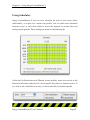
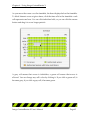
As you move the cursor over the timetable, the hour displays below the timetable.
To block Internet access at given times, click the time cells in the timetable—each
cell represents one hour. You can click individual cells, or you can click the mouse
button and drag it to cover longer periods.
A gray cell means that access is forbidden; a green cell means that access is
allowed. You can change any cell's color by clicking it. If you click a green cell, it
becomes gray; if you click a gray cell, it becomes green.
Intego ContentBarrier X User's Manual
Page 45
Chapter 4 – Using Intego ContentBarrier X
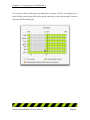
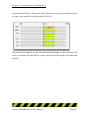
You can also click and drag in any direction to change cells. If, for example, you
start clicking on the gray cell at the top left, and drag to the bottom right, a section
of green cells becomes gray.
Intego ContentBarrier X User's Manual
Page 46
Chapter 4 – Using Intego ContentBarrier X
Setting Time Limits with the Timetable
Within the time restrictions you set using the timetable, you can also set time
limits. Say you want to allow a given user to access the Internet only between noon
and 6 pm, but you only want them to be able to do so for one hour a day. First
apply the time restriction, as explained above. Then, move the cursor over one of
the days on the timetable, on the green part, hold down the Control key, and click.
Select Add Time Limit… A dialog displays.
Intego ContentBarrier X User's Manual
Page 47
Chapter 4 – Using Intego ContentBarrier X
Select the time limit by clicking the arrow buttons to change the number of hours,
or type a new number in the hours field. Click OK.
The time limit is applied, and the timetable display changes to show this limit: the
section containing the time limit is orange, and it shows the length of the time limit
applied.
Intego ContentBarrier X User's Manual
Page 48
Chapter 4 – Using Intego ContentBarrier X
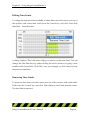
Editing Time Limits
To change the amount of time available in a time limit, move the cursor over one of
the sections with a time limit, hold down the Control key, and click. Select Edit
time limit… from the menu.
A dialog displays. This is the same dialog you used to set the time limit. You can
change the time limit here by either clicking the arrow buttons or typing a new
number in the hours field. Click OK to save your changes, or click Cancel to keep
the previous time limit.
Removing Time Limits
To remove a time limit, move the cursor over one of the sections with a time limit,
hold down the Control key, and click. Select Remove time limit from the menu.
The time limit is removed.
Intego ContentBarrier X User's Manual
Page 49
Chapter 4 – Using Intego ContentBarrier X
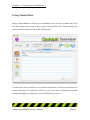
Using Trusted Sites
Intego ContentBarrier X allows you to establish your own list of trusted sites. You
can then restrict user access to these sites, and only these sites. These settings are
made on the Trusted Sites tab of the Profile pane.
Trusted sites work as follows: if you add a trusted site, it will not be blocked, no
matter what type of content it contains. Even if you have set filters for specific
content that appears on this site, users will be able to access it.
Intego ContentBarrier X User's Manual
Page 50
Chapter 4 – Using Intego ContentBarrier X
To use Trusted Sites, check the On checkbox. You can turn Trusted Sites off at any
time by checking the Off checkbox. If you do this, Intego ContentBarrier X will
ignore the trusted sites you have added to the list.
If you choose the Exclusive option, Intego ContentBarrier X blocks access to all
sites not in the Trusted Sites list. However, if you choose this option, Intego
ContentBarrier X's filters will still function on e-mail, if you have selected e-mail
filtering on the Filtering tab.
Intego ContentBarrier X User's Manual
Page 51
Chapter 4 – Using Intego ContentBarrier X
Adding Trusted Sites
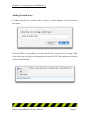
To add a trusted site, click the Add… button. A sheet displays over the Trusted
Site panel.
Enter the URL, or web address, of the trusted site in the text field, or drag a link
from a browser, text file or other program, then click OK. The trusted site is added
to the Trusted Site list.
Intego ContentBarrier X User's Manual
Page 52
Chapter 4 – Using Intego ContentBarrier X
Removing Trusted Sites
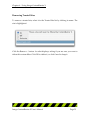
To remove a trusted site, select it in the Trusted Site list by clicking its name. The
site is highlighted.
Click the Remove… button. An alert displays, asking if you are sure you want to
delete this custom filter. Click OK to delete it, or click Cancel to keep it.
Intego ContentBarrier X User's Manual
Page 53
Chapter 4 – Using Intego ContentBarrier X
Using Blocked Sites
Just as Intego ContentBarrier X lets you add trusted sites, which the program never
filters, you can add Blocked Sites, which the program will always block. You can
use Blocked Sites to enter sites you do not want users to visit but which are not
necessarily included in one of Intego ContentBarrier X's filters. These settings are
made on the Blocked Sites tab of the Profile pane.
Blocked sites work as follows: if you add a blocked site, it will be blocked
regardless of whether it contains content that Intego ContentBarrier X’s filters
would block.
Intego ContentBarrier X User's Manual
Page 54
Chapter 4 – Using Intego ContentBarrier X
To use Blocked Sites, check the On checkbox. You can turn Blocked Sites off at any
time by checking the Off checkbox. If you do this, Intego ContentBarrier X will
ignore the blocked sites you have added to the list.
Intego ContentBarrier X User's Manual
Page 55
Chapter 4 – Using Intego ContentBarrier X
Adding Blocked Sites
To add a blocked site, click the Add… button. A sheet displays over the Blocked
Site panel.
Enter the URL, or web address, of the trusted site in the text field, or drag a link
from a browser, text file or other program, then click OK. The site is added to the
Blocked Site list.
Intego ContentBarrier X User's Manual
Page 56
Chapter 4 – Using Intego ContentBarrier X
Removing Blocked Sites
To remove a blocked site, select it in the Blocked Site list by clicking its name. The
site is highlighted.
Click the Remove… button. An alert displays, asking if you are sure you want to
delete this custom filter. Click OK to delete it, or click Cancel to keep it.
Intego ContentBarrier X User's Manual
Page 57
Chapter 4 – Using Intego ContentBarrier X
AntiPredator
Intego ContentBarrier X includes a powerful function to protect your children
when in web chat rooms or when using chat programs, such as IRC chat software
or iChat, ICQ or AIM instant messaging software. The AntiPredator function filters
chat texts for predatory language, that is, language asking for personal information
about the user. This includes such questions as, "are you home alone", "what is
your phone number", as well as other key words and phrases that might indicate
predatory behavior by other users.
To turn on the AntiPredator, click the AntiPredator button on the main Intego
ContentBarrier X interface. The AntiPredator panel displays.
Intego ContentBarrier X User's Manual
Page 58
Chapter 4 – Using Intego ContentBarrier X
This panel contains two tabs: Incoming data and Outgoing data. You can turn the
AntiPredator's filters on independently for incoming our outgoing data. To do this,
click either the Incoming data or Outgoing data tab, then click the On radio button
to turn on the AntiPredator's filters.
To protect your user totally, by filtering both incoming and outgoing data, turn on
both of these filters. If you wish to turn the AntiPredator off later, just click the Off
button on either or both of these tabs.
Displaying Filters
Intego ContentBarrier X's AntiPredator comes with a set of basic text strings as
filters for incoming data, and several languages are available. You can choose to
display all filters, filters in a specific language, or just custom filters that you add to
the list. To do this, select which filters to display from the Show popup menu.
Intego ContentBarrier X User's Manual
Page 59
Chapter 4 – Using Intego ContentBarrier X
Adding Filters
While Intego ContentBarrier X contains an extensive list of text strings to be
filtered, each of these tabs provides an area where you can add your own words
and phrases. You could add, for example, your address or phone number, as well
as any other personal information you feel should be protected to the Outgoing
Data list.
To add a filter for either Incoming or Outgoing data, click the tab to display the
appropriate panel. Click the Add... button. (If you wish to add filters to the
Incoming data list, you must select All or Custom in the Show popup menu to do
this.)
A new line displays at the bottom of the filter list. Enter the word, phrase or
sentence you wish to filter; it must be at least 4 characters.
Intego ContentBarrier X User's Manual
Page 60
Chapter 4 – Using Intego ContentBarrier X
NOTE: it is best to filter the shortest possible texts. Intego ContentBarrier X looks
for the exact text you have entered in the filter, and, if the user types it differently,
it will not be blocked. For example, rather than enter "my phone number is 5551234", it is best to enter just the phone number.
Editing Filters
To change the text of any of your filters, just click the entry to select it, then edit it.
You can change any of your filters at any time. When you have finished, just press
Enter.
Deleting Filters
To delete any of your filters, click one of them in the filter list to select it, then click
the Remove… button.
An alert displays, asking if you are sure you want to remove the filter. Click OK to
delete it, or click Cancel to keep it.
Intego ContentBarrier X User's Manual
Page 61
Chapter 4 – Using Intego ContentBarrier X
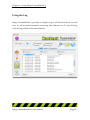
Using the Log
Intego ContentBarrier X provides a complete log of all Internet activity for each
user, as well as general statistics concerning their Internet use. To view the log,
click the Log button on the main interface.
Intego ContentBarrier X User's Manual
Page 62
Chapter 4 – Using Intego ContentBarrier X
How the Log works
The Log shows a record of Internet activity for all the users of your computer. The
activity displayed in the log depends on the log options selected in the
Notifications panel. For more on selecting log options, see the Notifications section
below.
You can choose to display all users, or just a specific user, by selecting their name
from the Show popup menu.
Intego ContentBarrier X User's Manual
Page 63
Chapter 4 – Using Intego ContentBarrier X
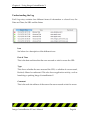
Understanding the Log
Each Log entry contains four different items of information: a colored icon, the
Date and Time, the URL and the Status.
Icon
See below for a description of the different icons.
Date & Time
This is the date and time that the user accessed or tried to access the URL.
Type
This shows whether the user accessed the URL, or whether it was accessed,
blocked, filtered or redirected. This also shows application activity, such as
launching or quitting Intego ContentBarrier X.
Comment
This is the web site address of the server the user accessed or tried to access.
Intego ContentBarrier X User's Manual
Page 64
Chapter 4 – Using Intego ContentBarrier X
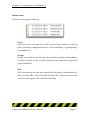
Status icons
Three icons may appear in the log.
Green
Green icons show accessed sites (if the Accessed sites checkbox on the Log
pane is checked) or application activity, such as launching or quitting Intego
ContentBarrier X.
Orange
Orange icons indicate sites that have been blocked by Intego ContentBarrier
X's filters for their content or URLs that have been redirected using search
engine redirection.
Red
Red icons indicate sites that have been blocked by Intego ContentBarrier X's
filters for their URLs, sites in the Blocked Sites tab, or because the user did
not have access rights in the schedule at that time.
Intego ContentBarrier X User's Manual
Page 65
Chapter 4 – Using Intego ContentBarrier X
Accessing Sites in the Log
If you want to check any of the sites listed in the log, you can access them by
simply double-clicking one of the log entries. This will cause the appropriate
program to open (if your Internet settings are correctly set) and connect to the site.
Sometimes, however, you will find a page that displays nothing, or displays an
error message. This is because many of the URLs in the log may be links to
graphics or other elements on web pages.
Sorting the Log
The log can be sorted by any of its fields by clicking on the header just above the
field.
It can also be sorted in ascending or descending direction by clicking on the sort
button, the small triangle in the selected sort column header.
Intego ContentBarrier X User's Manual
Page 66
Chapter 4 – Using Intego ContentBarrier X
You can drag any of the columns to change their order. To do this, click one of the
column headers and drag it where you want, then release your mouse button.
Clearing the Log
To clear the log, and erase all information stored in the log, click Clear. An alert
displays, asking if you are sure you want to clear the log. Click OK to delete it, or
click Cancel to keep it.
Exporting the Log
The Intego ContentBarrier X log is automatically saved every hour in the
/Library/Preferences/Intego/ContentBarrier folder. You can examine these logs
to check any Internet activity on your computer.
Logs can be exported in two formats: text and HTML. If you select text, they will
be saved in a file that can be read by any word processor. If you select HTML, their
files will be readable by any web browser, and will be presented in table form. To
choose which format will be used for log exports, see the Notifications section
below.
Intego ContentBarrier X User's Manual
Page 67
Chapter 4 – Using Intego ContentBarrier X
To export the log, click the Export... button.
A dialog will prompt you to save the file; you may change its name if you wish.
Click Save to save the file.
Intego ContentBarrier X User's Manual
Page 68
Chapter 4 – Using Intego ContentBarrier X
Statistics
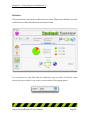
This panel shows information about sites accessed, filtered and blocked, and the
total amount of data that has been received and sent.
You can choose to view this data for whichever user you wish. To choose a user
whose data you wish to view, select a user from the User popup menu.
Intego ContentBarrier X User's Manual
Page 69
Chapter 4 – Using Intego ContentBarrier X
The following information is presented:
Accessed sites
The number of sites that have been accessed.
Filtered sites
The number of sites that have been filtered.
Blocked sites
The number of sites that have been blocked.
Internet traffic
This is the amount of data entering your computer (on top) and leaving
your computer (on the bottom) for all types of Internet applications: web, email, FTP, etc.
Clearing Statistics
If you wish to clear the statistics, to reset them to zero, for the selected user, select
their name from the User popup menu, then click the Clear... button. An alert
displays, asking if you are sure you want to clear the statistics. Click OK to delete
it, or click Cancel to keep it.
Intego ContentBarrier X User's Manual
Page 70
Chapter 4 – Using Intego ContentBarrier X
Notifications
Intego ContentBarrier X offers you several options for log display, export and email notification. These settings are applied to the user selected in the User popup
menu.
Intego ContentBarrier X User's Manual
Page 71
Chapter 4 – Using Intego ContentBarrier X
E-mail Reports
Intego ContentBarrier X can send you an e-mail message whenever any predatory
activity is detected, or send you a regular log of your computer's use. To use this
option, you must first enter e-mail addresses in the Notification tab.
Enter the recipient(s) e-mail address(es) in the first field (you can enter several email addresses in this field, separated by commas), the sender’s e-mail address in
the second field, and your SMTP server in the third field. (This is usually
smtp.yourdomain.com. If you have any doubts, check with your Internet access
provider or network administrator.)
Note: like all the settings on this tab, the e-mail settings apply to the selected user
only. You can therefore use different e-mail report addresses for different users.
Intego ContentBarrier X User's Manual
Page 72
Chapter 4 – Using Intego ContentBarrier X
Log Reporting Frequency
You can choose to have logs sent at the frequency you wish. Enter a unit in the
field, and select, from the popup menu, hours, days or weeks.
AntiPredator Notifications
Intego ContentBarrier X can send alerts by e-mail of any predatory activity it
blocks. To have these alerts sent, check this checkbox.
Intego ContentBarrier X User's Manual
Page 73
Chapter 4 – Using Intego ContentBarrier X
Display Alerts
If you check the Display Alerts checkbox, Intego ContentBarrier X will display an
alert when a user attempts to connect to the Internet if their profile has not been
configured.
The following alert is displayed in this case.
Intego ContentBarrier X User's Manual
Page 74
Chapter 4 – Using Intego ContentBarrier X
Log Display Settings
You can choose among three types of information to be included in logs displayed
in the View tab. Select any or all of these by checking their checkboxes.
Accessed sites
If this is checked, the log includes all sites that are accessed by users.
Filtered sites
If this is checked, the log includes all sites that Intego ContentBarrier X
filters.
Blocked sites
If this is checked, the log includes all sites that Intego ContentBarrier X
blocks.
Intego ContentBarrier X User's Manual
Page 75
Chapter 4 – Using Intego ContentBarrier X
NetUpdate
NetUpdate is an application that Intego's programs can use to check if the program
has been updated. This application, in the form of a control panel, is installed at the
same time as Intego's NetBarrier X, Intego VirusBarrier, Intego Personal Backup X
or Intego ContentBarrier X. It checks updates for all of these programs at the same
time, and downloads and installs those for the programs installed on your
computer.
Intego ContentBarrier X User's Manual
Page 76
Chapter 4 – Using Intego ContentBarrier X
The NetUpdate pane lets you carry out a manual check for updates. To do this,
click the Check Now… button. This opens the NetUpdate application and checks
Intego’s server for any new updates to the Intego ContentBarrier X application or
its filters.
This pane also gives you information on the last check date, which version of
Intego ContentBarrier X you have, which version of Intego ContentBarrier X’s
filters you have, and how much time is left in your subscription.
For more on using NetUpdate, see the NetUpdate User's Manual.
Intego ContentBarrier X User's Manual
Page 77
Chapter 4 – Using Intego ContentBarrier X
Intego ContentBarrier X Preferences
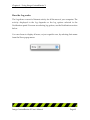
Intego ContentBarrier X's preferences let you change the program's interface, and
set or change an administration password. To access the preferences, select
Preferences… from the ContentBarrier X menu. The Preferences window displays.
Intego ContentBarrier X User's Manual
Page 78
Chapter 4 – Using Intego ContentBarrier X
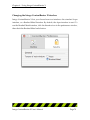
Changing the Intego ContentBarrier X Interface
Intego ContentBarrier X lets you choose from two interfaces: the standard Aqua
interface, or a Brushed Metal Interface. By default, the Aqua interface is used. To
use the Brushed Metal interface, click the Interface icon in the preferences window,
then check the Brushed Metal radio button.
Intego ContentBarrier X User's Manual
Page 79
Chapter 4 – Using Intego ContentBarrier X
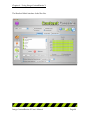
The Brushed Metal interface looks like this:
Intego ContentBarrier X User's Manual
Page 80
Chapter 4 – Using Intego ContentBarrier X
Security
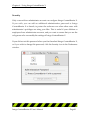
Only a user with an administrator account can configure Intego ContentBarrier X.
If you wish, you can add an additional administration password to Intego
ContentBarrier X at launch, to protect the software even when other users with
administrator's privileges are using your Mac. This is useful if your children or
employees have administrator accounts, and you want to ensure that you are the
only person who can modify the settings of Intego ContentBarrier X.
If you did not set this password when you first launched Intego ContentBarrier X,
or if you wish to change this password, click the Security icon in the Preferences
window.
Intego ContentBarrier X User's Manual
Page 81
Chapter 4 – Using Intego ContentBarrier X
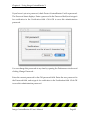
If you haven't yet set a password, check Protect ContentBarrier X with a password.
The Password sheet displays. Enter a password in the Password field, and retype it
for verification in the Verification field. Click OK to save this administration
password.
You can change this password at any time by opening the Preferences window and
clicking Change Password…
Enter the current password in the Old password field. Enter the new password in
the Password field, and retype it for verification in the Verification field. Click OK
to save this administration password.
Intego ContentBarrier X User's Manual
Page 82
Chapter 4 – Using Intego ContentBarrier X
Locking the Intego ContentBarrier X Interface
Intego ContentBarrier X allows you to lock its interface, to prevent users from
making changes to any of its settings while your session is open. While users with
administrator accounts can ordinarily access Intego ContentBarrier X, if you have
set a password, only those users who know the password will be able to do so.
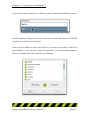
To do this, choose Lock Interface from Intego ContentBarrier X’s File menu.
All of Intego ContentBarrier X’s interface is locked, and all options are grayed out.
To access the interface again, select Unlock Interface from the Window menu. A
dialog asks you to enter your administrator password, and the Intego
ContentBarrier X interface is unlocked.
Intego ContentBarrier X User's Manual
Page 83
Chapter 4 – Using Intego ContentBarrier X
About Intego ContentBarrier X
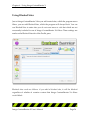
If you select About ContentBarrier X from the ContentBarrier X menu, the About...
panel gives information about Intego ContentBarrier X, such as the version
number, your support number (a number you need for technical support),
clickable links to Intego’s web site and e-mail address, and Intego’s address and
telephone number.
Intego ContentBarrier X User's Manual
Page 84
Chapter 5 – Technical Support
5 - Technical Support
Intego ContentBarrier X User's Manual
Page 85
Chapter 5 – Technical Support
Technical support is available for registered purchasers of Intego ContentBarrier X.
By e-mail
[email protected]
From the Intego web site
www.intego.com
Intego ContentBarrier X User's Manual
Page 86
Chapter 6 - Glossary
6 - Glossary
Intego ContentBarrier X User's Manual
Page 87
Chapter 6 - Glossary
Chat: A system that allows two or more logged-in users to set up a typed, realtime, on-line conversation across a network.
D N S : Domain Name System. Used by routers on the Internet to translate
addresses from their named forms, such as www.intego.com, to their IP numbers.
FTP: File Transfer Protocol. A protocol used for transferring files from one server
to another. Files are transferred using a special program designed for this protocol,
or a web browser.
HTTP: HyperText Transfer Protocol, the protocol used to send and receive
information across the World Wide Web.
ICQ: A popular program used for on-line chats.
IP: The network layer for the TCP/IP protocol suite widely used on Ethernet
networks and on the Internet.
IP address: An address for a computer using the Internet Protocol.
Irc: Internet Relay Chat. A medium for worldwide "party line" networks that
allows people to converse with others in real time.
Local network: A network of computers linked together in a local area. This may
be a single building, site or campus.
Network: A group of interconnected computers that can all access each other, or
certain computers. This may be a local network, or a very large network, such as
the Internet.
Newsgroup: A type of discussion group that uses a special protocol (NNTP) and
special software. There are several tens of thousands of newsgroups, each dealing
with very specific subjects. To access this kind of content, you need special
software, but some web browsers include a newsgroup reader.
NNTP: Network News Transfer Protocol. A protocol for the distribution, inquiry,
retrieval and posting of newsgroup articles over the Internet.
Protocol: The set of rules that govern exchanges between computers over a
network. There are many protocols, such as IP, HTTP, FTP, NNTP, etc.
Server: A computer connected to a network that is serving, or providing data or
files to other computers called clients.
Intego ContentBarrier X User's Manual
Page 88
Chapter 6 - Glossary
TCP: Transmission Control Protocol. The most common data transfer protocol
used on Ethernet and the Internet
TCP/IP: The Internet version of TCP; TCP over IP.
Intego ContentBarrier X User's Manual
Page 89