1
EasyBuilder Pro User Manual
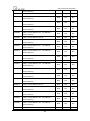
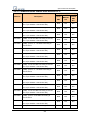
29.3 Using System Reserved Addresses to Enable Pass-Through Function ............................ 654
Chapter 30 Project Protection ....................................................................................................... 655
30.1 XOB Password .................................................................................................................. 656
30.2 Decompilation is Prohibited ............................................................................................ 657
30.3 Disable HMI Upload Function [LB-9033].......................................................................... 658
30.4 Project Key ....................................................................................................................... 659
30.5 Project Password (MTP file) ............................................................................................. 660
Chapter 31 Memory Map Communication .................................................................................... 661
Chapter 32 FTP Server Application ................................................................................................ 669
32.1 Login FTP Server ............................................................................................................... 669
32.2 Backup History Data and Update Recipe Data ................................................................ 671
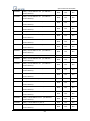
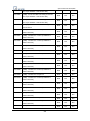
Chapter 33 EasyDiagnoser ............................................................................................................. 673
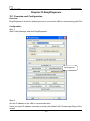
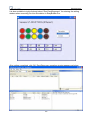
33.1 Overview and Configuration ............................................................................................ 673
33.2 EasyDiagnoser Settings .................................................................................................... 676
33.3 Error Code ........................................................................................................................ 682
33.4 Save As ............................................................................................................................. 683
33.5 Window Adjustment ........................................................................................................ 684
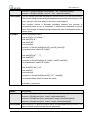
Chapter 34 Rockwell EtherNet/IP Free Tag Names ....................................................................... 685
34.1 Import User-Defined Tag CSV File to EasyBuilder Pro ..................................................... 686
34.2 Adding New Data Type .................................................................................................... 688
34.3 Paste................................................................................................................................. 690
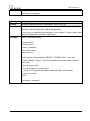
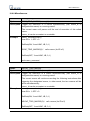
34.4 Miscellaneous .................................................................................................................. 693
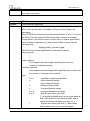
34.5 Module-Defined ............................................................................................................... 697
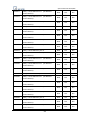
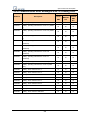
Chapter 35 Easy Watch .................................................................................................................. 701
35.1 Overview .......................................................................................................................... 701
35.1.1What’s Easy Watch? .............................................................................................. 701
35.1.2 Why Design Easy Watch? ...................................................................................... 701
35.2 Basic Functions................................................................................................................. 702
35.2.1 Basic Functions...................................................................................................... 702
35.2.2 Quick Selection Tools ............................................................................................ 704
35.3 Monitor Settings .............................................................................................................. 705
35.3.1 Add Monitor .......................................................................................................... 705
35.3.2 Monitor Settings ................................................................................................... 705
35.3.3 Add New Device .................................................................................................... 706
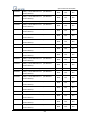
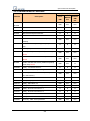
35.4 Macro Settings ................................................................................................................. 709
35.4.1 Add Macro............................................................................................................. 709
35.4.2 Macro Settings ...................................................................................................... 709
35.4.3 Add New Macros to the List.................................................................................. 709
8